Tonal Balance - The Secret to Pro Mixes: Part 2

In part one we looked at sound, frequencies, and our key weapon for shaping tonal balance: parametric EQ.
In part two, we cover the EQ techniques that make an immediate difference - why cutting frequencies works better than boosting, which specialist tools are worth knowing, and the workflow habits around listening level, arrangement, and monitoring that most producers learn too late. We also look at how Mix Check Studio can give you fast, objective feedback on where your mix's tonal balance needs work.
EQing fundamentals
Almost every production newcomer does EQing wrong.
Okay, so 'wrong' is a controversial term in creative pursuits. Let's rephrase it:
Almost every production newcomer naturally uses EQ in a way that is more likely to exacerbate the problem they're trying to solve than solve it.
To see why, let's look at the two main uses of EQ.
First, it's used to tailor the frequencies of individual sounds. For example adding bass power, enhancing brightness, or removing harshness. Second, it's used to better combine the different elements of a mix.
In both cases, beginners almost invariably tend to reach for EQ boost. And their logic is compelling...
I want instrument X to sound better or stand out in the mix more therefore I should boost the frequencies of X that make it sound better or stand out more.
But while the logic's fine, the premise is flawed. As we saw in part one, a mix can be thought of as a range of frequency bands, and though we have nearly 20kHz of bandwidth to play with, those bands get very cluttered, very quickly.
Almost all the musical information is contained in one area, almost all the weight in another, the definition in yet another, and so on. Frequency space is not unlimited. And in some areas it can get very crowded, particularly in the middle areas where we need the most clarity.
But what is 'boost' if not adding more frequency information? More gain = more mess = less clarity.
Cut first, ask boost questions later
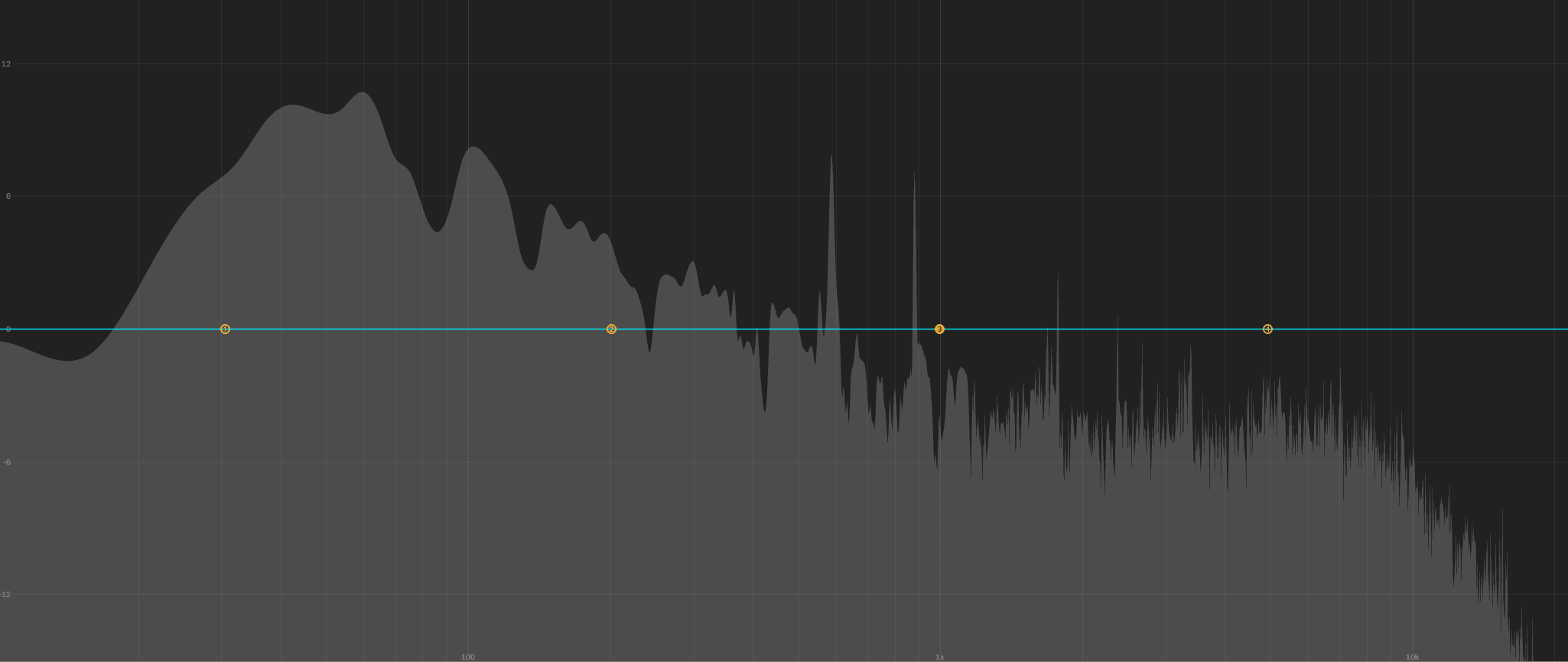
One astonishingly useful rule of thumb, then, is that before you try to boost a frequency band, first try removing frequencies.
To brighten a vocal, for example, try rolling off some of the bass frequencies before you boost the highs. It will seem instantly more present in the mix and you will need less high boost.
And when trying to achieve tonal separation of multiple sounds, before boosting a frequency band on one signal to make it cut through, first try attenuating some of that band out of other sounds in the mix that don't need it, thus making space for the signal you want to bring out.
In practice, this often means using surprisingly severe high and low EQ cuts on a variety of instruments to chop away unneeded clutter. Or quite a big midrange scoop on a synth to make space for a vocal, and so on.
Does your high-hat really need subs and bass and lower mids? Does your kick benefit from all that 'air'? It's amazing how much sonic mess we don't notice on individual channels playing alone, but which adds huge cumulative clutter.
The greater the number of instruments, the more cut you will need and be able to get away with on individual instruments. For example, the frequency range of a piano on a sparse Alicia Keys ballad will be far wider than the piano on an in-your-face dancefloor hit.
To avoid overdoing things, as a beginner it's best to judge the cutting frequencies and notch EQ adjustments in the context of the full mix playing. The idea is to cut until the sounds become clearer without losing their essential tone and character.
Also, be careful of your Q when attenuating (or boosting!). Higher Q values mean a narrower width, which can be more surgical, but also more unnatural and resonant.
Even before any special tools or metering whatsoever, following the simple advice above will be transformative for your mix clarity and separation.
And, by creating so much more space and avoiding excessive use of boost, you will find the tonal balance of your mix improves markedly, without you even thinking about it.
More tonal balance tools
Of all aspects of music production, tone control is the one that requires the simplest tools to achieve the greatest results. Hand a world-class mix engineer a pile of audio stems and using nothing more than careful EQing and levels they can craft a mix that would put most of us to shame.
That's not to say there haven't been some incredible advancements in frequency processors in recent years, however. Let's have a look at some useful tools now.
Dynamic EQs: These only begin to boost or attenuate the selected band for as long as the audio in that band reaches a defined level. This often allows much more transparent EQing. For example, you could tame harsh spikes from a cymbal strike on a drum loop without cutting that frequency all the time. Or it could boost the bass of the kick on the loop by only triggering boost when the power of the kick triggers it.
Graphic equalisers: So named because they look like a graph, graphic EQs supply a range of fixed frequency band sliders for boosting and cutting - up to 30 or more. In live PA, their immediacy makes them quick and easy to adjust on the fly. In the studio, many engineers consider models like the API 560's octave-staggered bands ideal for EQing musical instruments.
Tone control (Baxandall): The tone control is a very simple kind of shelving EQ, based on something known as a Baxandall EQ. From the 50s on, they were found on countless hi-fis, boomboxes, radios, and car stereos, and used for sliding smoothly between a bass- / low-heavy sound and a brighter, more top-end sound.
Frequency-matching EQ: This is a feature of some modern parametric EQ plugins. The plugin listens to reference audio, analyses it, compares that to your audio, then applies highly precise, complex equalisation to match the reference. It's not great on full mixes but if you want the vibe of Adele's piano, it can get you closer than you'd manage on your own.
Harmonic exciters: Some designs use analogue-style distortion to generate harmonically-related frequencies (known as 'harmonics') to the audio being processed. Some synthesise harmonically related frequencies, for example to add more sub bass to an electric bass. A few even manipulate the phase of higher frequencies in relation to the lower frequencies, making the signal appear brighter or more 'present' (see Stereo and Phase 101: A Practical Guide for Music Producers).
Inharmonic exciters: These effects aren't normally thought of as 'exciters' but they're often used that way. The distortion they create is inharmonic, that is, unrelated to the frequencies of the audio being processed. Examples include ring-modulation, digital aliasing, and bit-crushing, with the sound of the latter two closely associated with early hip-hop and house. Their inharmonic quality can help an element to stand out in a mix.
Things you will wish you knew sooner
It's easy to think that all you need for great tonal balance are some expensive toys and a stack of pro techniques, but there are a number of hard-won lessons that can transform your mixes right now using nothing but the tools in your DAW.
And all but one of them are completely free.
Arrangement matters
Armed with cutting-edge plugins, AI equalisation tools, and more, there's often a temptation to try to EQ our way out of tonal balance trouble. But sometimes the easiest way to deal with problems is to prevent them in the first place.
If you find yourself working very hard to balance the elements in your mix with EQ, ask whether or not you really need all of those elements in at the same time - or at all.

The importance of listening level
The volume you monitor at makes a big difference to how you perceive different frequencies and, therefore, tonal balance. One of the best demonstrations of that is a retro song 'fade out'.
And I Wish (Fade) - click here to listen to the audio
Notice the vocals becoming more prominent as the track fades out? Spooky, huh? It's because at low volume human hearing is much more sensitive to the area of the midrange.
If you try to mix a track at too low a volume, you will naturally mix the mids lower, where they sound right to you. But if somebody then listens louder, anything in that range (vocals, guitars, synths etc.) can sound too quiet.
The answer isn't to just dial it up to 11, though. Listening too loud quickly causes temporary de-sensitivity, particularly to upper mids and high frequencies. After just a few minutes you will need to turn up the treble to achieve the same perceived brightness. That's why a mix from 'the night before' often sounds too bright the next day.
A good monitoring technique is to turn up the music to the point where you find it hard to have a conversation without raising your voice... then dial it back a bit.
Tonal tastes
Nothing stays the same in music production, and tastes in tonal balance are no exception.
The 60s prioritised mids as this was the only reliable playback range for the smaller, single speaker setups most people had.
By the 70s and 80s, many consumer manufacturers added a 'smile' curve to their amps, deliberately accentuating bass and treble (creating a smile-shaped frequency response), usually to mitigate for cheap speakers that overly accentuated midrange.
Today, different kinds of music skew towards different tonal balance, and that balance will normally relate to the relationship of low-, mid-, and high-frequency ranges. Hip-hop, for example, tends to have more bass and treble balance, while rock might have more mids to showcase the guitars.
There's no one-template-fits-all approach, so spend time analysing and comparing tracks in your genre and using those as a benchmark.
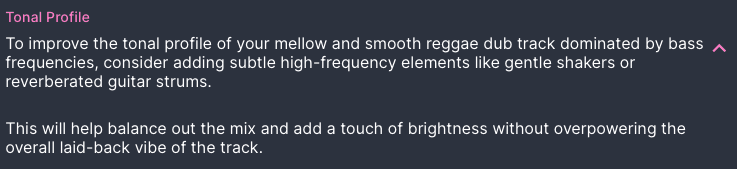
Mix Check Studio can take a lot of the guesswork out of this for you too, making suggestions - and even adjustments - to fit your track's genre and style.
A/B comparisons - the secret to success
It's easy to lose perspective in the studio. Our hearing adapts very quickly so that what we're listening to quickly sounds normal. These can lead to us spending literally hours mixing a track, thinking it's perfect, only to listen to our favourite track right afterwards and realise how far off we are.
The trick is to constantly A/B with a track we know sounds great.
Limit limiters to mastering
There are a number of reasons why mixing with an active limiter on your master bus is bad news (see Clipping and Headroom: The Secret to Dynamic Mixes) but the most relevant is that a limiter on your master output can significantly impact tonal balance. So at the least make sure any limiter you have on the master channel is bypassed before finalising your mix's tonal balance.
For a full guide to compression and dynamic control, see Dynamic Range Demystified Part 1 and Part 2.
Where are your listeners?
It's all very well sounding awesome in the studio, but if your mix doesn't translate to the place your audience is most likely to hear it, it doesn't matter how great it sounds on your monitors.
As far back as the 50s and 60s, mixing engineers mixed to sound good on the kinds of cheap transistor radios and sound systems you got at home or in cars.
And today, most people listen on phones, laptops, earbuds, TVs, or smart speakers, all of which might cut or accentuate parts of your mix. For example, most laptops, tablets and phones won't reliably reproduce anything below about 150-200Hz, so those sub bass frequencies you spent all night EQing will be inaudible.
We're not suggesting you should mix on your laptop speakers or an Echo Dot, but it's always worth checking your mixes on the kinds of systems your listeners will use, to avoid surprises and disappointment.
Monitoring matters
The first bit of advice any old pro will give a budding new producer is 'Don't cheap out on monitoring - save up and get the very best you can afford'. And the first bit of advice almost every budding producer will ignore? 'Don't cheap out on monitoring - save up and get the very best you can afford'.
True, an extra synth is sexier and more fun, but it really is essential advice.
Whether you opt for professional monitors or some professional mixing headphones, the key word is 'professional'. Home stereo speakers and amps and consumer headphones simply are not designed for accuracy, they're designed to sound pleasing. And they do this by actively manipulating the tonal balance.
Mixing requires the flattest response you can afford, to ensure your mixes translate to the widest range of consumer playback mediums possible.
The golden rule
If only production was that simple! Alas, there is no single golden rule to perfect tonal balance... because there's no such thing as perfect tonal balance.
Tonal balance isn't about presets or rules. It's about making your music sound great to your listeners, where they are listening to it. And that's much more simple than most people realise.
With careful listening, sensible EQ guidelines, and regular reference checks, your music will soon start to sound like your favourite releases.
And if you want concrete tonal balance analysis and feedback, upload your track to Mix Check Studio now.
Mix Check Studio is built on psychoacoustic research - in other words, it's designed to analyse the tonal balance of your music based on how listeners actually experience it.
It can then give you targeted advice, based on your chosen genre or style, allowing you to quickly identify problem areas and use the tips in this article to fix them. It can even suggest additional musical parts and arrangement choices to achieve better tonal balance.
And if you really can't seem to get the parts to fit together, why not upload your project stems to Automix and let it blend them together for you?
Frequently asked questions
What is tonal balance in music production?
Tonal balance refers to how evenly the energy in a mix is distributed across the frequency spectrum - from sub-bass through to the high treble. A well-balanced mix doesn't have excessive energy piling up in any one frequency range, and sounds consistent across different playback systems.
Why does my mix sound muddy or harsh?
Muddiness usually means there's too much energy in the lower midrange (200-500Hz) - often caused by multiple instruments competing in that range without enough EQ cuts to make space. Harshness typically points to excessive upper midrange (2-5kHz) energy. The fix in both cases is usually subtractive EQ: cut problem frequencies on the instruments that don't need them, rather than boosting other elements.
Should I boost or cut EQ when mixing?
Cut first, then boost only if needed. Boosting adds more frequency information to an already crowded mix and can make things worse. Try cutting the problematic frequency on instruments that don't need it - this creates space without adding gain, which almost always results in a cleaner, clearer mix.
What is a good tool for checking tonal balance?
Mix Check Studio is a free online tool that analyses your mix's tonal balance using psychoacoustic modelling. Upload your track and it gives you genre-specific feedback on where your frequency balance is off, what to fix, and how. It has analysed over 1.1 million tracks to date.
How do I know what tonal balance is right for my genre?
Different genres have different tonal signatures - hip-hop tends toward more bass and treble, while rock leans on the mids to showcase guitars. The best approach is to A/B your mix against reference tracks in your genre. Mix Check Studio can also analyse your track against genre targets and flag where you're off.
What monitoring level should I mix at?
Mix at a level where you can just about hold a conversation without raising your voice, then dial it back slightly. Too quiet and you will over-compensate in the mids; too loud and you will lose sensitivity to upper mids and treble, leading to a mix that sounds too bright the next day. Take regular breaks and always check your mix at low volume before signing off.
Does tonal balance matter for streaming platforms?
Yes. Streaming platforms apply loudness normalisation, which affects how your mix is perceived at playback. A well-balanced mix will translate better through normalisation than one with heavy frequency imbalances. Mix Check Studio includes streaming readiness feedback as part of its free analysis.
Read part one: Tonal Balance - The Secret to Pro Mixes: Everything you need to know about EQ and frequencies
Learn