Tonal Balance - The Secret to Pro Mixes: Part 1

Everything you need to know about EQ and frequencies - the foundation of every great mix.
It's a strange thought, but we can define all sounds in terms of just three things: frequency, volume, and shape. This means that every bit of music you've ever heard, danced to, or cried over, is a function of which shapes are playing when, and how loud.
It's no surprise, then, that the two most fundamental kinds of studio tools are dynamics processors (for level) and EQs (for controlling shape and frequency). In this two-part article we look at the latter, in particular an essential concept called tonal balance.
Achieving the right tonal balance is the difference between a great musical idea that lacks impact with the listener and one that sees them hit 'repeat' and tell their friends.
In fact, in today's industry, most listeners are probably more likely to skip over a great track with terrible tonal balance than an average track that's been tonally balanced to perfection.
In part one we'll cover all the concepts you need to understand human hearing, frequencies, equalisers, filters, how they relate to your mixes, and why we might prefer certain combinations.
Then, in part two, we'll get practical, using our knowledge to examine some of the tools and techniques you need to achieve pleasing, attention-grabbing mixes, and how to avoid - or spot and fix - the most common problems. Stay tuned for this.
By the end, armed with this knowledge, plus Mix Check Studio and Automix, we'll make sure your music achieves that elusive but essential quality: tonal balance.
What is tonal balance?
One of the defining characteristics of almost every hit you've ever heard, every club banger you've ever danced to, or every movie score that's ever moved you, is that they utilise all the frequency space the creators had available.
And when we analyse music as it plays we start to notice some interesting patterns. For example, very few modern songs have extreme tonal spikes, or heavy imbalances between low and high frequencies, we just don't really like the sound of tonal imbalance.
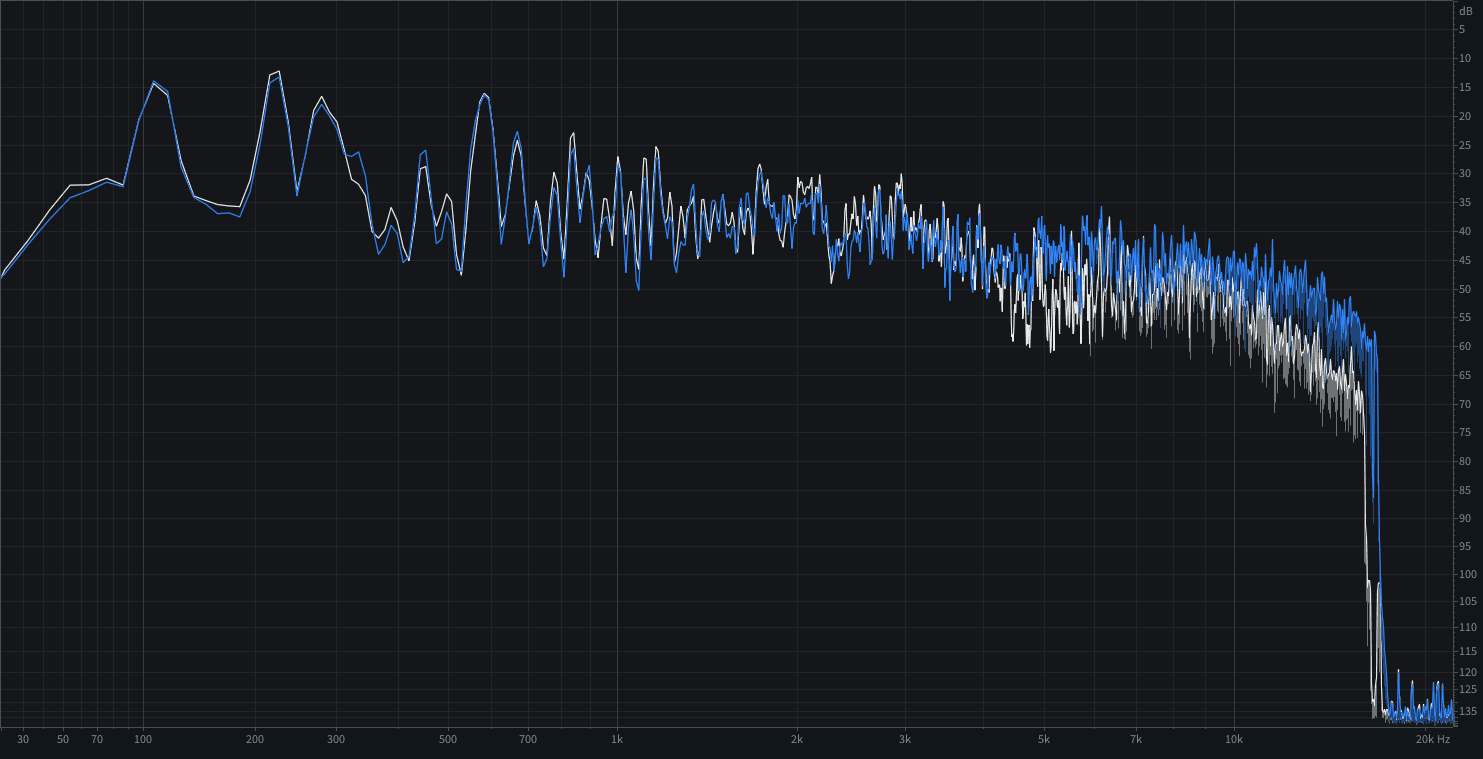
Rock track frequencies - spectrum analyser screenshot of a rock track
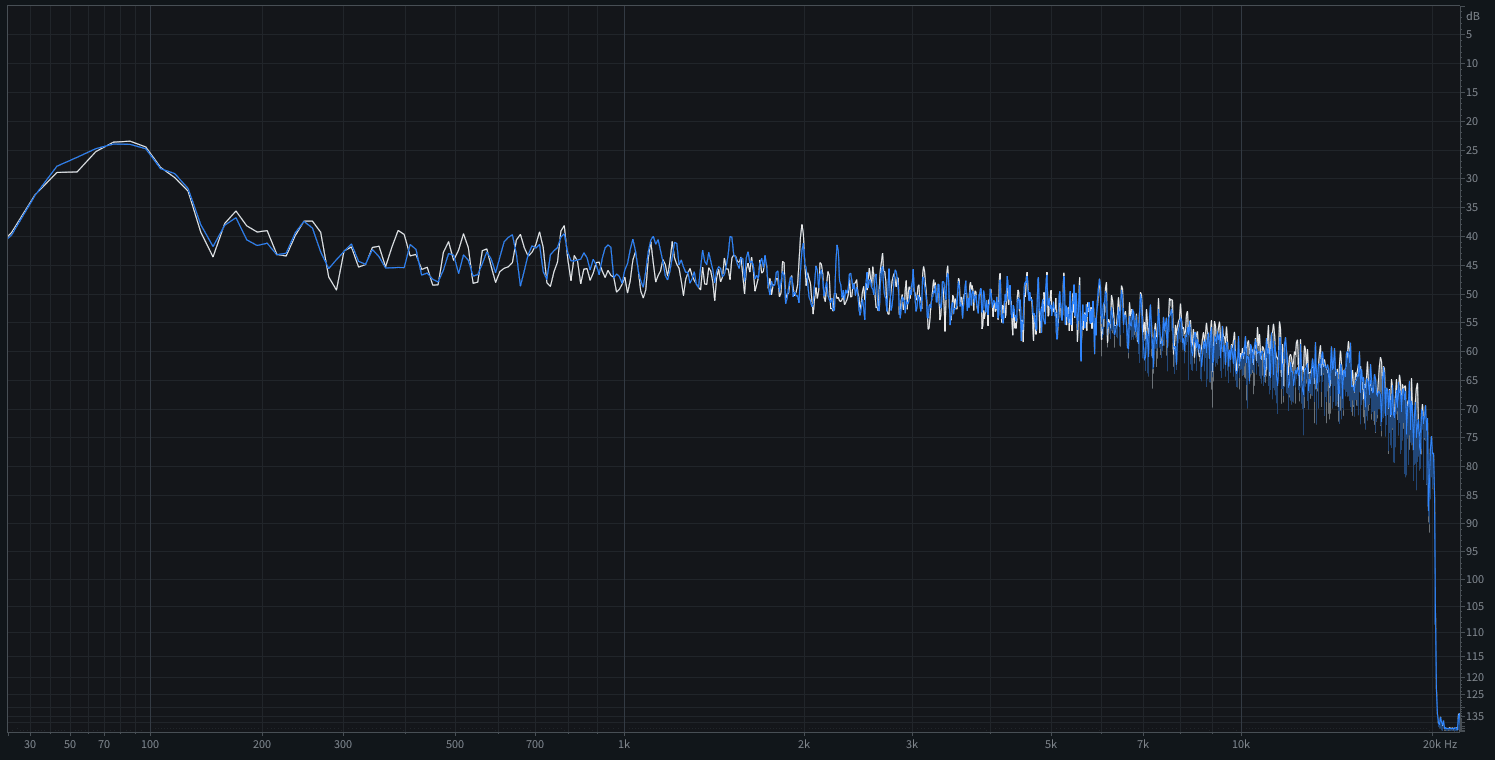
Pop track frequencies - spectrum analyser screenshot of a pop track
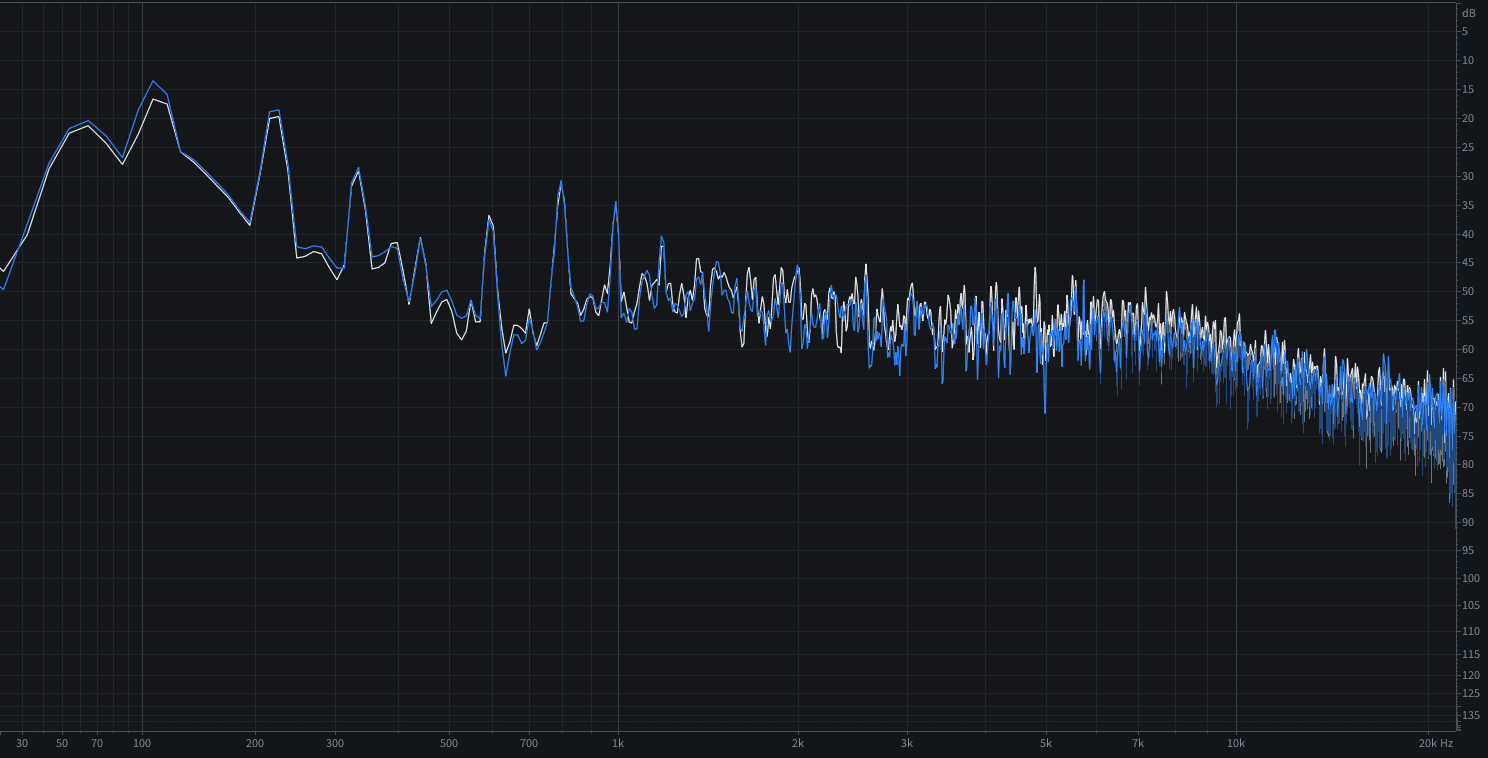
Dance track frequencies - spectrum analyser screenshot of a dance/electronic track
And it makes sense. In the real world, most sounds have no hard, unnatural frequency cut-off points. So we're pre-programmed to expect wide-ranging sounds with smoother edges, not narrow bands. And from an evolutionary point of view, almost anything that involved a loud spike and a specific, narrow frequency range meant danger, from the snap of a branch, to the growl of a tiger. Even the cry of a baby.
NOTE: If you already know all about frequencies and are just after some concrete tips, then check out Part 2.
Frequencies
To understand frequency it's important to understand how sound and audio signals work. They travel in cyclical waves and waveforms, respectively, and how often they cycle defines the tone (or note, if we're thinking in musical terms).
They have exactly the same shape but the first is cycling 130.8 times per second and the second 65.4 times per second. The more cycles per second, then, the higher the tone.
We refer to the speed of these cycles as their 'frequency' and measure this frequency in something called Hertz, abbreviated as Hz.
So when we say 20Hz, we mean 20 cycles per second. And by 20,000Hz - also known as 20 kilohertz (20kHz for short) - we mean 20,000 cycles per second.
And, to be clear, the actual shape of the wave doesn't affect the pitch / note. Same frequency. Same tone. Same note.
Frequencies and the sound we hear
In practice, the sounds we hear are almost never as simple as those two examples. From our voices and the rumble of our hungry stomachs, to the sound of a stick hitting a drum or a pick strumming the strings of a guitar, real sound is a complex stack of different shapes and frequencies.
It's also worth noting that these sound waves we hear in the real world are actual real pressure waves, rippling through the air, causing it to vibrate. From the point of view of human hearing, the length of these cycles - their wavelength - ranges from about 17 metres for the lowest frequency to up to 1.7cm for highest.
We hear stuff because these waves in the air cause vibrations in our ears which our brain experiences as sounds. That's why everything sounds weird underwater and why they say 'in space nobody can hear you scream'. The waves vibrate differently in different stuff… and they need at least some stuff to vibrate in.
What is the 'full frequency range'?
The human hearing range is typically defined as 20Hz to 20kHz. There's no one reason for this, but from an evolutionary point of view it worked. It let us hear the kind of things we ate, warned us about the kinds of things that ate us, and allowed us to communicate in an expanding variety of grunts.
Other animals have different ranges that work for them. Blue whales can gossip over thousands of miles of ocean using the 10-40Hz range (wavelengths up to 150 metres). Many bats can hear frequencies up to 100kHz (3.4mm wavelengths), which offers such precise detail that they can effectively see shapes and positions with sound alone - ideal for hunting moths in the air in the dark.
In reality, by the time humans reach adulthood, most of us have already had our range whittled down to 15kHz or less, thanks to damage from loud music, noisy streets, screaming children, and all the other noisy aspects of modern civilisation.
Still, when we talk about the 'available frequency range', we're basically talking about 20Hz to 20kHz. And when people talk about the 'audio spectrum', that's usually what they're talking about.
Finally, it's also useful to know that above and below a certain frequency range, our ability to accurately detect pitch (i.e. notes) falls off pretty quickly. Most people start struggling below 40Hz and above 4-5kHz.
Bands and multibands
One of the most common terms in discussions of tone is 'band'. We see bands mentioned everywhere so it's useful to clarify them.
Band - A frequency band is exactly that: a band of frequencies. Right from the early days of audio engineering, people noticed it was useful to distinguish between different areas of the audio spectrum. Frequencies at the low end of the spectrum, for example, carry much more energy, that's why they can make your windows shake. And that energy translates to much stronger signal levels in our audio systems too.
Bandwidth - Bandwidth simply means the range from the lowest and the highest frequency in our selected band. Technically we can specify any bandwidth we like. For example for targeting a problematic harsh frequency, we might want the smallest bandwidth we can get away with (processing overly-narrow bands can sound weird).
Bass, midrange, treble
As mentioned, we can split audio into whatever bands and bandwidths we want. For example, consumer audio equipment often used to offer controls for bass, midrange, and treble. But for understanding the tonal balance of our mixes and masters, it's useful to split it into five or six distinct bands.
NOTE: The precise number and range of the following bands varies across mixers, EQs, and plugins, according to the most useful range for that device.
Sub-bass (20-60Hz): Sub waves are so low they're usually felt more than heard - providing the kind of weight and rumble you feel as a car blasting music drives by. Most smaller playback systems like earbuds, tablets, and phones can't really reproduce them.
Bass (60-200Hz): Bass delivers the punch and impact in a mix - the frequencies that can hit you in the chest at high volumes. Too much bass makes music overly boomy. Too little makes it feel thin.
Lower midrange (200-500Hz): This range gives music its warmth and body. But too much can make music sound 'boxy' and 'muddy' - both enemies of clear, defined mixes.
Mid midrange (500Hz-2kHz): Mid mids are where most of the recognisable tonal character of instruments and voices lie, so it's often the busiest area of a mix. It's no coincidence that this is where our ears are most sensitive.
Upper midrange (2-5kHz): Upper mids provide definition. They're vital to understanding speech and singing, and define the sounds of percussive and plucked instruments. Too little upper mid and you lose clarity. Too much and the sound becomes harsh.
Treble (5-20kHz): Treble provides the brightness, 'air', and sheen to our mixes. Adding brightness draws attention to your mix, but too much can make it seem brittle. Our ears are very quickly desensitised to treble, which is why sensible monitoring levels and regular ear breaks are essential when mixing.
Understanding where each element of your track sits across these bands is one of the most practical things you can do before you start mixing. Mix Check Studio analyses your track's tonal balance for free, showing you exactly which frequency areas are overloaded or underrepresented relative to your genre - before you spend hours on EQ adjustments.
Tonal shaping
There are any number of different processors for your music's frequencies - we'll look at many of them in part two - but when it comes to tonal shaping, our primary tool is the equaliser. EQ for short.
Equalisers are essentially targeted tone controls, designed for raising or reducing the level of specific frequency bands. Raising is referred to as 'boosting' while reducing is called 'attenuating'.
The name 'equaliser' came about because early recording, broadcast, and telephonic devices had notoriously uneven frequency responses. Certain frequencies either weren't captured, or were lost in transit, and so early equalisers were used to try to restore - equalise - this frequency response.
By the 1950s, though, EQ was becoming the staple creative mixing tool it is today.
Parametric EQ
There are many types of EQ but in modern, DAW-based production, by far the most common is known as a parametric equaliser.
The thing that sets a parametric EQ apart is that it allows the user to set both the centre frequency of the band to be affected and the width of that band. On most parametric EQs these are known as the 'frequency' and the 'Q' (Q for 'quality factor'), respectively.
Parametric EQ used to be largely the preserve of pro mixing consoles. But nowadays it's in pretty much every DAW and countless EQ plugins. Both do exactly the same thing in principle, but modern software formats offer a more obvious visual representation, usually coupled with other EQ types such as the following:
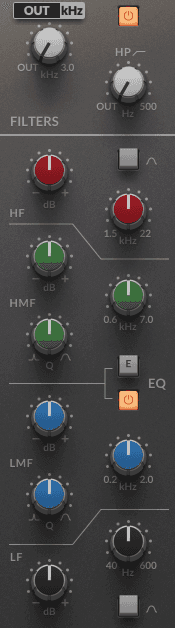
Classic SSL hardware console EQ
Shelf EQ: In a shelf EQ all the frequencies above or below a defined frequency are boosted or attenuated by the same amount. When mapped on a graph, this appears like a shelf. Shelf EQ is ideal for broad tonal control of high and low end.
Low-cut: A low-cut module cuts off frequencies below a specified 'cutoff' point. Technically, therefore, this is just another term for 'high-pass filter'. Most sounds in a mix have a clear operating frequency range, so it can often be useful to eliminate unneeded frequencies above and below this range entirely.
High-cut: This is the precise opposite of the low-cut. It's basically another name for a low-pass filter, cutting all the frequencies above a specified point.
Slope and dB per octave: In reality, almost none of these EQ cut modules involve absolutely hard cutoff frequencies, there's a kind of progressive drop-off called a 'slope'. The steepness of these slopes are expressed in something called dB per octave. Common slopes are 12dB per octave (often abbreviated to 12dB), 24dB, and, in modern EQ plugins, 36dB, 48dB, or even 72dB - the slope getting steeper as the number goes up.
Spectrum analysers: Most modern EQ plugins include a built-in spectrum analyser. This is the key tool for analysing your audio's frequencies. It shows how loud the frequencies of your audio are at any given moment. Many also display a solid line showing the highest peak value right across the spectrum - a very handy view of the overall tonal balance of your mix.
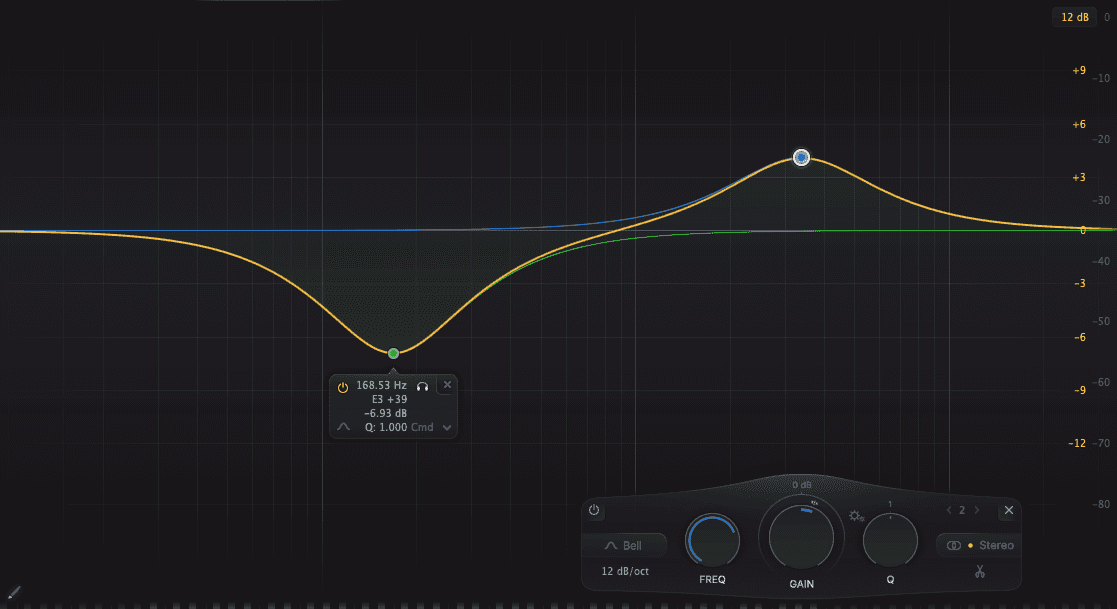
Modern DAW parametric EQ plugin screenshot
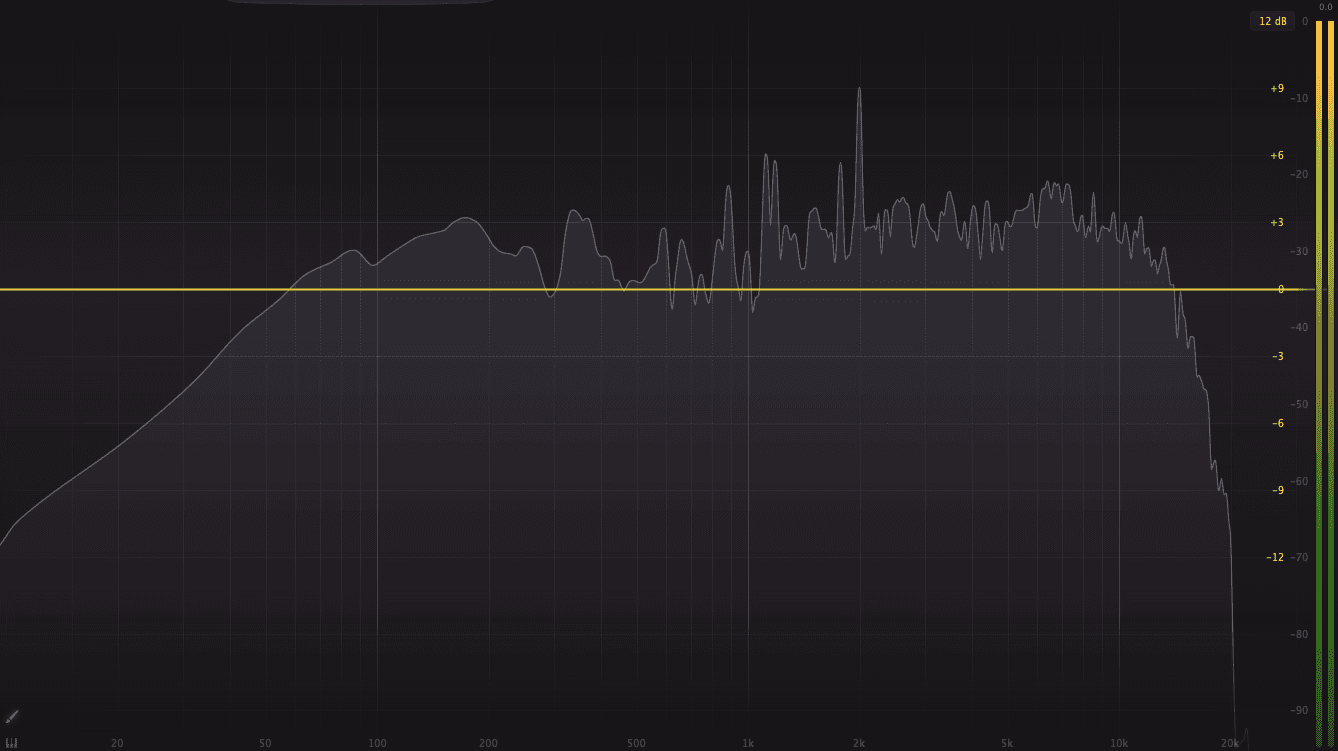
Spectrum analyser in use
If you do not have a spectrum analyser or want an objective second opinion on your track's frequency balance, Mix Check Studio gives you a free tonal balance analysis in under a minute. It flags specific problem areas - too much bass, harsh upper mids, lacking air - and gives you practical mix suggestions based on your genre. No account needed.
What's next
Congratulations, you now know everything you need to know to start controlling and manipulating the tonal balance of your tracks.
In part two we'll look at some of the specific problems you might encounter, plus some practical tips and tools to avoid them, including Mix Check Studio's free track analysis and mix suggestions.
We'll discuss some of the creative tonal balance tools you can use to make your tracks stand out.
Finally, we'll suggest a bunch of incredibly simple-but-powerful workflow adjustments to help you achieve all of that.
Ready to hear where your mix stands tonally right now? Upload your track to Mix Check Studio - free, no account needed. Or if you want AI to handle the mixing and tonal balancing for you from your stems, Automix does the full job and lets you preview the result before you pay anything.
Frequently asked questions
What is tonal balance in music?
Tonal balance refers to how evenly a track's energy is distributed across the frequency spectrum - from sub-bass at 20Hz through to treble at 20kHz. A well-balanced track uses the full available frequency range without harsh spikes or heavy imbalances. Most professional releases achieve this naturally through careful EQ decisions at the mixing and mastering stage.
Why do my mixes sound thin or muddy?
Thin mixes usually lack energy in the bass and lower midrange (60-500Hz). Muddy mixes usually have too much buildup in the lower midrange (200-500Hz) with insufficient clarity in the upper mids (2-5kHz). Both problems are EQ issues - the solutions are covered in Part 2 of this guide.
What is a parametric EQ and how do I use it?
A parametric EQ lets you select a specific frequency, set how wide a band around it to affect (the Q), and boost or cut the level of that band. It is the standard EQ type in every major DAW and most EQ plugins. The key principle: cut first to remove problem frequencies, boost only when necessary.
How do I check the tonal balance of my mix?
For a more objective read, Mix Check Studio analyses tonal balance automatically against genre-specific parameters, flagging specific problem areas and giving you practical suggestions - free, no account needed.
What is the difference between mixing and mastering for tonal balance?
Mixing addresses tonal balance at the stem level - applying EQ to individual instruments and vocals so they sit in the right frequency range and do not clash with each other. Mastering addresses tonal balance on the finished stereo file - broad adjustments to make the overall track translate correctly across different playback systems. Getting the balance right at the mixing stage first makes mastering significantly easier. If you are working with stems, Automix handles the mixing EQ decisions automatically before producing a mastered, release-ready output.
Learn