Automix: AI-Powered Mixing for Musicians and Producers
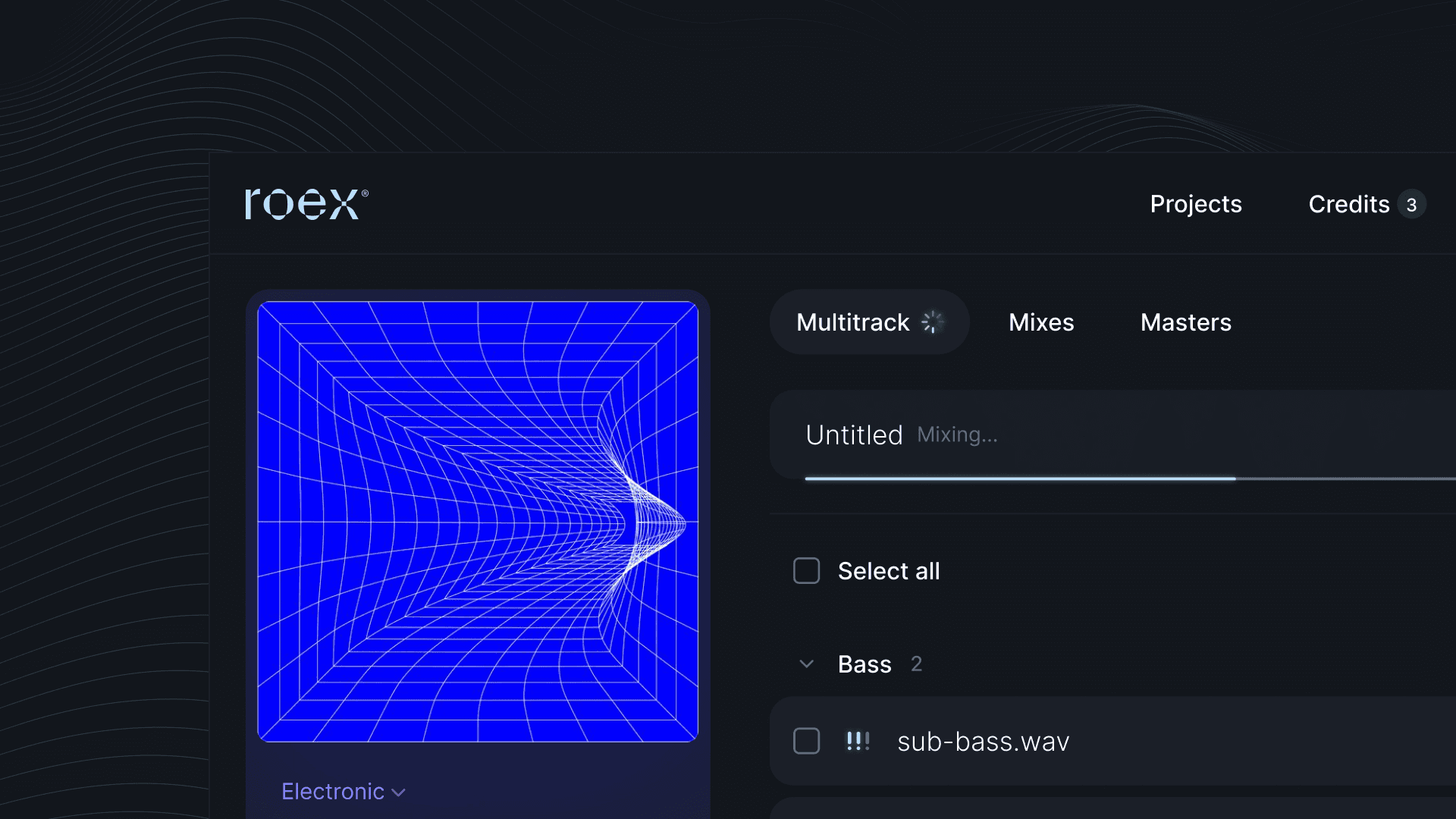
In the fast-moving world of music production, achieving a polished, professional mix has traditionally required significant time, expertise, and access to costly plug-ins or studio environments. But what if there was a way to simplify the process while still delivering exceptional results? Enter Automix, the first-to-market AI music mixing tool.
Automix is designed to change how musicians and producers approach audio mixing. By leveraging cutting-edge AI technology, Automix empowers users to create balanced mixes from multitrack audio in minutes, offering a streamlined solution for DIY music makers and producers.
What is Automix?
Automix is an AI-powered tool designed to handle the complexities of audio mixing, so that musicians and producers can focus on their artistry.
With Automix, you can:
Create professional-grade, balanced audio mixes in minutes without the need for a studio or advanced plugins.
Master your track, applying the finishing touches so that it's ready for release on Spotify, Apple Music, and all major streaming platforms.
Try the platform for free, then upgrade to download your mixes and masters in high-quality WAV, MP3 or FLAC. Options include Pay As You Go credits from $5.99 per track, or unlimited mixing and mastering with a Pro subscription.
Download your processed stems (Pro) to share parts with collaborators, or submit individual tracks for sync licensing opportunities.
Export your mix to your DAW (Pro) — send your Automix session to Ableton Live, Bitwig Studio, or Fender Studio as a Live Set or DAWproject file, so you can make your final creative touches with your own plugins and effects.
Automix Desktop (Beta) - Automix Pro subscribers can also use Automix Desktop (Beta) - the full AI mixing and mastering workflow running locally on your Mac or Windows PC. No uploads, no internet required, 2-5x faster than the web.
How It Works: Step by Step
Automix simplifies audio production with AI, making professional mixing accessible regardless of technical expertise or budget. Here's how to get started:
1. Upload your multitrack audio. Automix accepts audio stems in WAV format, processing each track individually while preserving overall balance.
2. Set your mix preferences. Select key parameters such as genre, desired panning and reverb to guide the mix. You can mix up to 32 audio tracks. If you have more audio files, create stem groups (drums, vocals, etc.) and combine them. You can also use our Audio Cleanup tool at this stage to remove unwanted noise and interference from your recordings.
3. Let the AI mix your tracks. Automix assesses your audio using algorithms informed by real-world mixing principles and professional engineering practices, applying level balancing, EQ, compression, panning, and spatial processing to each stem.
4. Preview and adjust. Listen to the results and tweak levels to suit your creative vision.
5. Download your mix. Within minutes, Automix delivers a balanced, studio-quality mix ready for release.
6. Master your track (optional). Automix optimises the overall tone, loudness, and stereo imaging to ensure consistency and clarity across all playback systems. You can also create a tailored master by matching the sonic profile of a reference track you admire.
Our tutorial walkthrough video below shows you how to set up a project in detail, including extra steps for creating stem groups (e.g. combining all drum stems into one mixed group first), a process that lets you mix more than 32 audio files in your Automix session.
Whether you're sharing creative ideas, refining a demo, or producing your debut album, Automix simplifies the complexities of music production — saving you time without sacrificing quality.
🎛️ Ready to hear what AI mixing sounds like on your music?
Upload your stems to Automix and get a professional mix back in minutes. Free to mix and preview — pay only when you download.
How Does Automix Work Under the Hood?
Behind the scenes, Automix employs advanced audio signal processing techniques combined with state-of-the-art AI. The tool harnesses pioneering research from Queen Mary University of London and incorporates training data curated by professional audio engineers following responsible practices. Over years of rigorous R&D and feedback from musicians and producers, Automix has been refined to deliver consistently outstanding results.
Unlike mastering-only tools that simply process a stereo file, Automix performs true multitrack mixing — analysing each individual stem and making independent decisions about EQ, compression, panning, level balancing, and reverb for every track in your session.
Is Automix Right for You?
Automix is built for:
Independent musicians and producers looking for an affordable alternative to studio mixing — get professional results without booking studio time or hiring a mix engineer.
Bedroom producers and beginners who want to elevate their tracks without investing in advanced audio engineering tools or spending months learning to mix.
Professionals and content creators seeking a quick, reliable way to generate a polished mix for demos, client pitches, or social content.
AI music creators using Suno, Udio, or similar tools who want their AI-generated tracks to sound release-ready — learn how to mix and master your Suno tracks.
DAW users on Ableton Live, GarageBand, FL Studio, Logic Pro, or BandLab — export your stems and upload them to Automix for a professional mix in minutes. Pro subscribers can export the mix back into Ableton as a Live Set for further tweaking.
What Music Creators Are Saying About Automix 📣
These five-star reviews were all left by Automix Pro subscribers:
"Have been using it to mix some of my unfinished songs, really impressed by the quality. Made my mixes sound a lot better." — AC, England
"The fact that you can download the mixed stems is a life saver. The mastering is perfect and makes my tracks the biggest they can be without too much audible compression!" — CN, United States
"Best thing anybody could have ever created especially for artists that don't know how to mix and master. GENIUS!!" — JW, England
"As a content creator this is a must have! I'm able to keep a great workflow and creating feels like love again, not work." — ML, United States
Your Music, Your Rights
When you use Automix, the ownership of all uploaded and processed audio remains unchanged. The composition, master recording, and final mixes remain entirely yours (and/or your collaborators). No uploaded audio or materials are used for training RoEx's AI models. You can review our Terms of Service for full details.
Not Sure If Your Mix Needs Help?
Upload your track to Mix Check Studio for a free, instant analysis. You'll get detailed feedback on your tonal balance, dynamics, loudness, stereo width, and more — so you can identify exactly what's holding your mix back before you spend a penny.
Start Mixing with Automix Today
Ready to transform your music with AI-powered mixing? Upload your stems, pick your genre, and get a balanced professional mix in minutes. Then master it for streaming with one click.
Start Mixing Free → · See Pricing →
Free to mix and preview. No credit card required. Pay only when you download.
Watch a full walkthrough of the Automix workflow - including Importance settings, genre selection, Fine-Tune panel and DAW export:
Learn