Clipping dan Headroom: Rahasia Bikin Mix Kamu Makin Hidup dan Dinamis!
Keduanya terdengar seperti salon perawatan pria... namun pengetahuan dasar tentang keduanya akan membuat hidup Anda lebih mudah dan trek Anda menjadi lebih baik
Perekaman dan pencampuran (mixing) musik adalah pengejaran yang ajaib. Ini adalah cara kita mengubah ide-ide kita menjadi versi terbaiknya. Namun, meskipun mengubah sesi multitrack menjadi lagu yang hidup dan bernyawa adalah hal yang menyenangkan, ada beberapa aturan membosankan yang (sebagian besar) tidak boleh dilanggar. Untungnya, aturan-aturan ini sebenarnya membuat kehidupan studio menjadi lebih mudah dan kreatif.
Hal yang paling membosankan tetapi paling berguna dari semuanya berkaitan dengan clipping dan headroom. Dengan kata lain, apa yang terjadi ketika sinyal audio terlalu kuat... dan cara kita mengendalikannya.
Clipping bisa menjadi duri dalam daging atau bumbu rahasia untuk membuat mix menonjol, kesalahan pemutaran yang tidak diinginkan, atau suara penentu sebuah era. Sementara itu, headroom memberi Anda ruang untuk mengekspresikan diri dengan pemrosesan dan mixing yang kreatif.
Artikel ini membahas semua hal yang perlu Anda ketahui, mulai dari headroom dalam perekaman digital, mixing, dan mastering, hingga penggunaan clipping yang menentukan genre dan membentuk nada.
Semuanya sangat mudah, dan dilengkapi dengan pengetahuan ini – ditambah analisis trek gratis dari Mix Check Studio – Anda dapat menghasilkan mix yang lebih kaya dan lebih dinamis.
Clipping? Headroom? Apa itu?
Dalam istilah awam, clipping adalah apa yang terjadi pada bentuk gelombang (waveform) audio ketika Anda menggerakkan sinyal melalui jalur sinyal analog atau digital pada level yang terlalu tinggi. Ini mengubah suara. Terkadang kita menginginkan ini. Terkadang tidak.
Bayangkan headroom sebagai ruang yang Anda miliki untuk menaikkan level sinyal tanpa terjadinya clipping.
Untuk memahami keduanya dengan baik, mari kita ulas kembali beberapa dasar.
Bentuk gelombang dan puncak
Semua suara merambat dalam gelombang. Dan semua sinyal audio – baik analog maupun digital – diekspresikan oleh bentuk gelombang yang sesuai.
Bentuk gelombang (Waveform)
Berikut adalah bentuk gelombang untuk detik pertama lagu Digital Love dari Daft Punk.
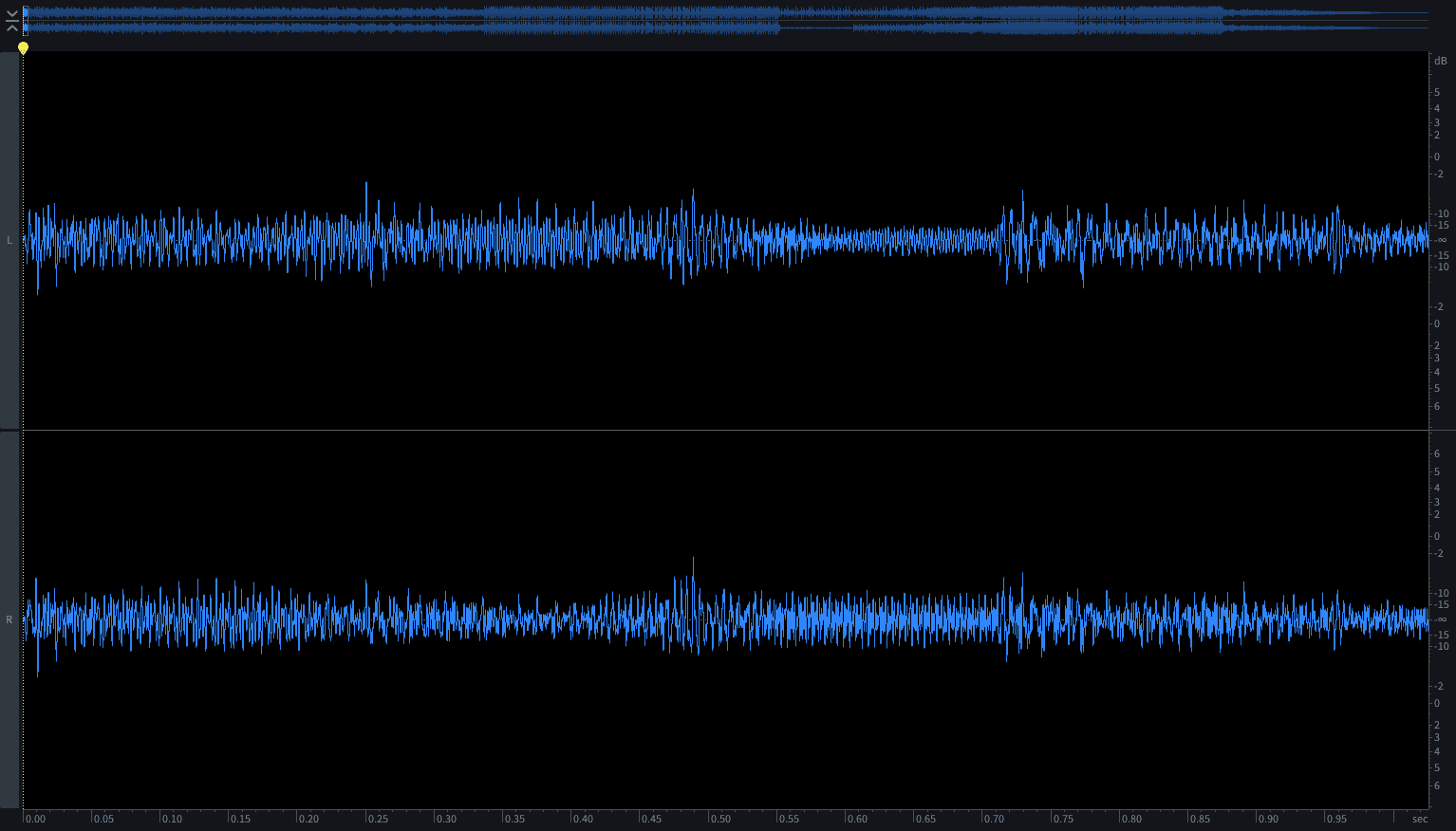
Bentuk dan kecepatan siklus gelombang menentukan nada dan timbre (yaitu bagaimana suara audio yang dihasilkan akan terdengar) sedangkan tingginya menentukan level suara tersebut.
Sekarang bandingkan keduanya.
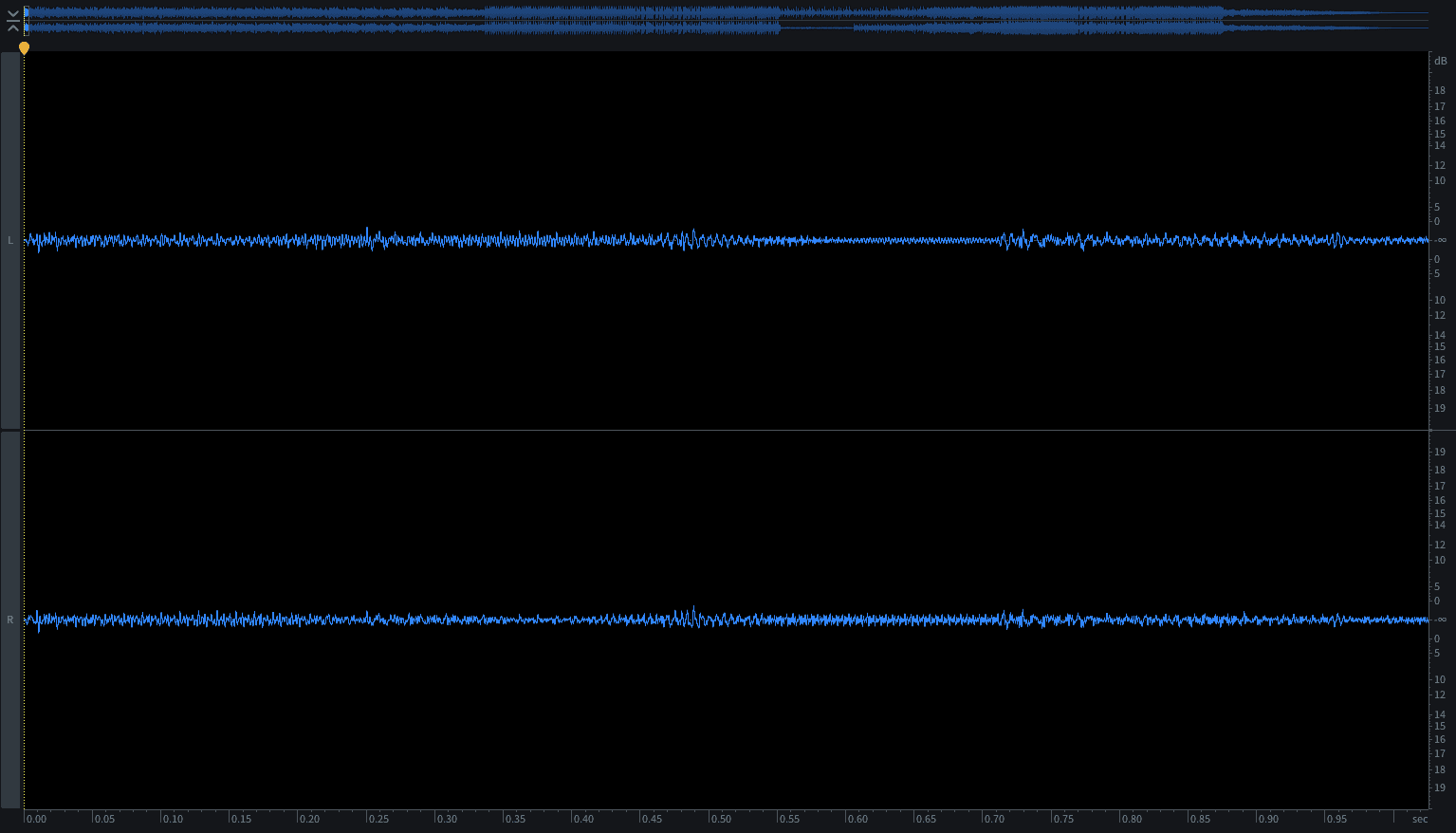
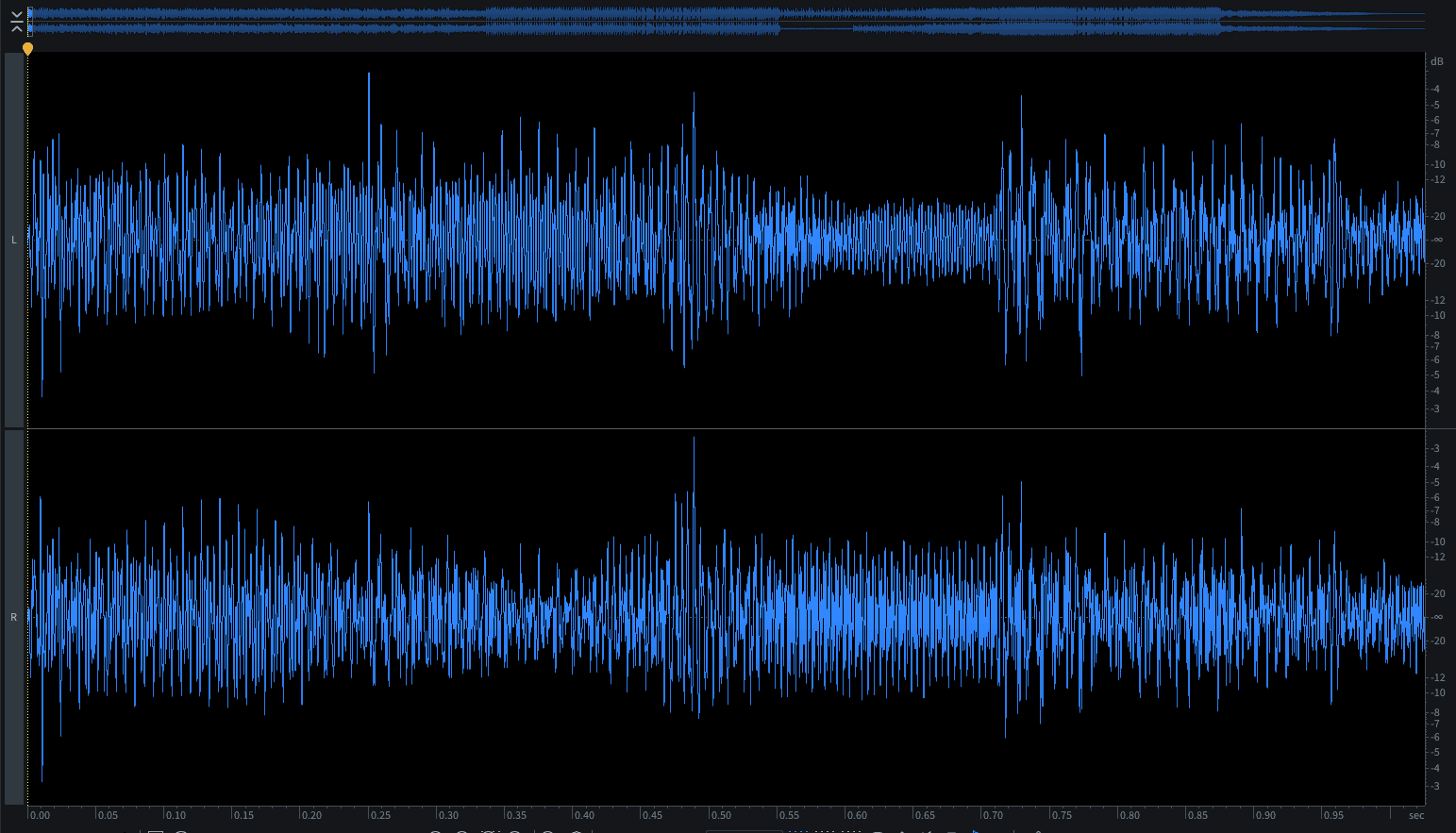
Keduanya memiliki tinggi yang berbeda tetapi memiliki bentuk yang sama, dan bersiklus pada kecepatan yang sama, sehingga akan terdengar sama, meskipun yang pertama lebih tenang.
Seperti yang akan kita lihat, baik bentuk maupun tingginya berhubungan dengan clipping.
Puncak (Peak)
'Peak' mengacu pada nilai tertinggi untuk bentuk gelombang dalam sinyal rekaman/audio. Silakan lihat file audio di bawah ini.
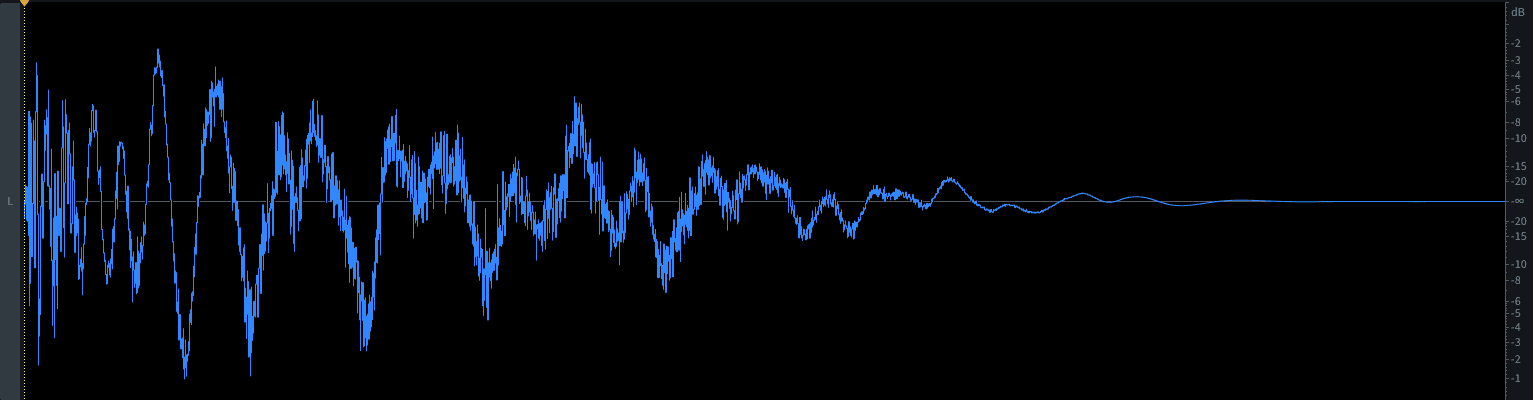
Puncak adalah nilai tertinggi yang dicapai, dan dalam sistem audio digital dinyatakan sebagai nilai dBFS (lihat A Simple Guide to Loudness and Metering untuk informasi lebih lanjut tentang dBFS).
Puncak untuk sampel kick drum di atas adalah -1dBFS (1dB di bawah 0dBFS).
Apa itu clipping?
Mari kita perluas sedikit definisi kita sebelumnya, dengan berbekal pengetahuan baru kita tentang bentuk gelombang.
Tepatnya, clipping adalah apa yang terjadi ketika kekuatan sinyal (level) dari sinyal audio melebihi kemampuan sistem untuk mempertahankan bentuk gelombang secara akurat.
Pada titik tertentu dalam sistem apa pun, meningkatkan level sinyal akan mengubah bentuk gelombang dan, akibatnya, bagaimana suaranya terdengar.
Oleh karena itu, puncak (peak) adalah bagian integral dari clipping.
Analogue clipping vs digital clipping
Hal pertama yang harus dipahami adalah perbedaan antara clipping pada katup (valve) dan sirkuit nyata dengan clipping pada sistem digital.
Dalam sistem analog, bentuk gelombang yang terpotong (clipped) akan terkompresi secara organik. Rentang dinamis akan terkompresi, meningkatkan kenyaringan yang tampak (lihat A Simple Guide to Loudness and Metering), tetapi distorsi analog juga akan meningkat. Akibatnya, meskipun tidak ideal untuk mixing atau mastering yang bersih, sirkuit analogue clipping sebenarnya merupakan alat yang banyak digunakan untuk menambahkan harmonik ke sinyal.
Sistem digital, bagaimanapun, tidak menghasilkan efek kompresi ini secara alami. Tanpa intervensi, sistem digital hanya memotong bagian atas bentuk gelombang, sering kali menimbulkan berbagai distorsi unharmonik yang mengerikan ketika dikonversi kembali menjadi suara.
Oleh karena itu, sistem digital sering kali menggunakan algoritme perlindungan untuk mencegah artefak audio mengerikan yang mungkin dihasilkan. Namun, bahkan pada kondisi terbaiknya, sistem ini dirancang untuk setransparan mungkin. Jika didorong terlalu jauh, sistem akan mulai rusak dengan cara yang tidak musikal, alih-alih menambahkan harmonik yang menyenangkan atau kompresi progresif. Jadi biasanya tidak ada keuntungan (pun intended) yang didapat dari membebani sistem digital secara berlebih.
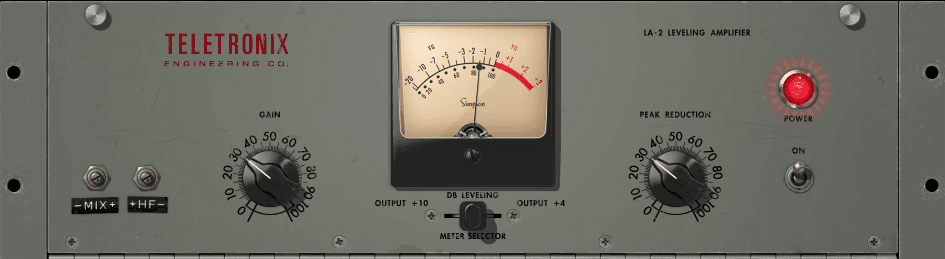
Apa yang terjadi pada suara audio yang mengalami clipping?
Clipping dapat memberikan berbagai efek pada sinyal audio.
Contohnya meliputi:
– hilangnya frekuensi bass
– distorsi/saturasi
– transient yang rusak
– kresek, klik, distorsi inharmonik (sistem digital)
– rentang dinamis yang berkurang
– pembulatan transient yang halus
Beberapa di antaranya positif, beberapa negatif, dan beberapa bisa berupa keduanya, tergantung pada konteksnya.
Clipping buruk – hal-hal yang harus dihindari.
Ketika kita berbicara tentang clipping, kita biasanya membicarakannya sebagai sesuatu yang terjadi pada tahap input dari sebuah perangkat.
Clipping pada tahap konverter Analog-to-digital bisa sangat buruk. Batas keras 0dBFS itu berarti bahwa tanpa algoritme perlindungan, clipping akan terdengar kurang seperti distorsi harmonik kreatif dan lebih seperti iblis yang menyemprotkan jetwasher langsung ke gendang telinga Anda. Dan bahkan dengan algoritme perlindungan, Anda akan kehilangan detail, merusak transient, dan berisiko mengalami distorsi inharmonik yang tidak menyenangkan.
Membebani saluran mixer DAW Anda secara berlebih biasanya hanya akan memicu beberapa algoritme perlindungan internal, dengan hasil yang sama seperti di atas. (Bahkan mixer analog buatan paling murah pun tidak terdengar bagus saat terdistorsi.)
Plugin sangat rentan terhadap clipping yang buruk, terutama karena sangat mudah untuk tidak menyadari hal itu terjadi ketika menjalankan beberapa plugin secara berurutan – masing-masing dapat memperkenalkan anti-clipping (atau clipping aktual) mereka sendiri.
Analog tidak kebal terhadap clipping yang buruk. Ini bisa terdengar sangat bagus, terutama dengan pre-amp dan katup (valve) kelas atas. Namun meskipun rekamannya terdengar bagus saat itu, ini adalah jalan satu arah. Anda dapat merekam dengan bersih dan menerapkan analogue clipping nanti, dengan presisi dan kontrol. Namun sekali direkam, Anda tidak dapat membatalkan efek itu di kemudian hari.
Jika menyangkut masalah clipping pada tahap mixdown dan mastering, Mix Check Studio dapat membantu. Anda cukup mengunggah master atau pre-master Anda, dan ini akan memberi tahu Anda jika terjadi clipping dan, jika ya, menawarkan beberapa saran praktis untuk mengatasinya.

Sekarang, karena kita telah menyinggung tentang creative clipping...
Saat clipping itu keren
Adalah adil untuk mengatakan bahwa clipping yang buruk adalah clipping yang tidak direncanakan dan menyebabkan masalah yang tidak dapat kita batalkan. Tapi bagaimana jika kita memang menginginkannya?
Dalam sistem analog, clipping sebenarnya dapat memberikan beberapa efek yang bagus. Analog tidak memiliki batas keras 0dBFS. Puncak tidak hanya dipotong di bagian atas atau diubah menjadi batas atas yang datar; mereka diratakan secara progresif. Dan, seperti yang telah kita pelajari, ini mengubah suara.
Dilakukan secara ringan, terutama melalui katup atau pita (tape), ini pertama-tama menambahkan kehangatan lembut, yang juga dikenal sebagai saturasi.
Dorong lebih keras, dan sinyal akan mulai mengalami clipping, menimbulkan distorsi. Misalnya, dengan menaikkan level sinyal dari gitar elektrik sebelum diamplifikasi, kita menciptakan distorsi menyenangkan yang didefinisikan dalam jutaan solo gitar.
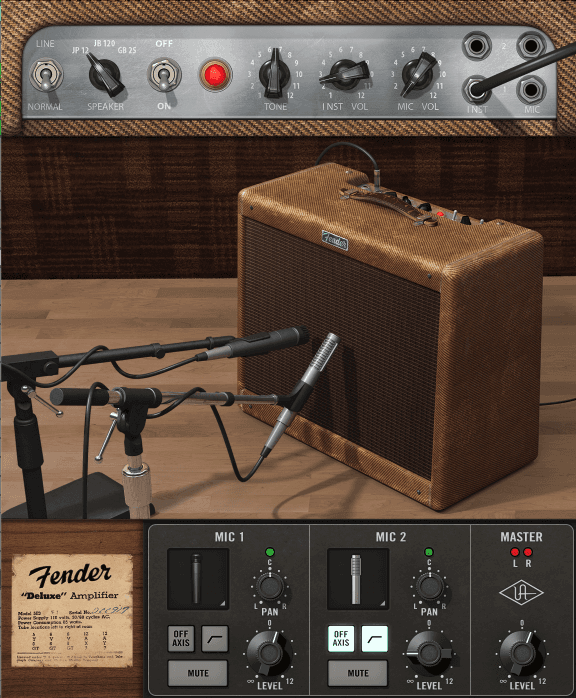
Dan itu bukan hanya gitar. Clipping, dalam bentuk overdrive/distorsi ini dapat menambahkan karakter pada vokal, synth, drum... apa saja. Dan dengan menduplikasi sinyal dan hanya mendistorsi satu salinan, Anda dapat mempertahankan semua dinamika luas dari versi asli sambil tetap menikmati karakteristik nada dari sinyal yang mengalami clipping.
Karakter nada dari distorsi bervariasi sesuai dengan peralatan, tetapi umumnya bersifat harmonik, terkait dengan frekuensi audio itu sendiri. Dan ada plugin perangkat lunak yang dirancang untuk mensimulasikan perilaku clipping gaya analog seperti ini.
Dalam mastering dan pemrosesan drum juga, clipping dapat menjadi alat yang hebat. Apa yang disebut soft clipping adalah contoh dari hal ini. Soft clipping bekerja dengan mulai melemahkan (mengurangi) sinyal lebih awal, sebelum puncak tertinggi dicapai, yang dapat digunakan untuk membulatkan transient.
Soft clipping juga dapat ditemukan pada beberapa limiter, diterapkan sebelum bagian pembatasan utama, yang dapat menghasilkan hasil yang lebih halus daripada brickwall limiting saja (lihat Dynamic Range Demystified).
Headroom itu penting
Kembali ke clipping yang buruk sekarang, kunci untuk menghindarinya adalah mengelola headroom kita. Dan headroom adalah tentang hubungan audio kita dengan batas atas (ceiling) kita.
Batas atas dalam sistem audio digital kita adalah 0dBFS, titik di mana sinyal tidak dapat melewatinya. Kita terus-menerus memanipulasi sinyal dengan berbagai cara, dan semua yang kita lakukan pada sinyal berpotensi mengubah level sinyal dan memengaruhi puncak.
Oleh karena itu, sangat penting untuk menyisakan headroom yang cukup.
Seluruh dunia adalah gain stage
Cara paling sederhana untuk mengontrol headroom adalah tidak menambahkan terlalu banyak gain pada tahap input Anda. Atau, jika sinyal sudah sangat keras, kurangi level input.
Mengelola level sinyal Anda di setiap bagian proses adalah hal yang kritis, dan ini memiliki nama: gain staging.
Perekaman, pemrosesan, dan mixing audio dilakukan dalam serangkaian tahapan, dan setiap proses baru – kompresi, EQ, emulasi pita, dll. – adalah tahapannya sendiri dengan input dan outputnya sendiri. Gain staging adalah proses menyesuaikan gain secara terus-menerus agar sesuai dengan masing-masing tahapan tersebut.
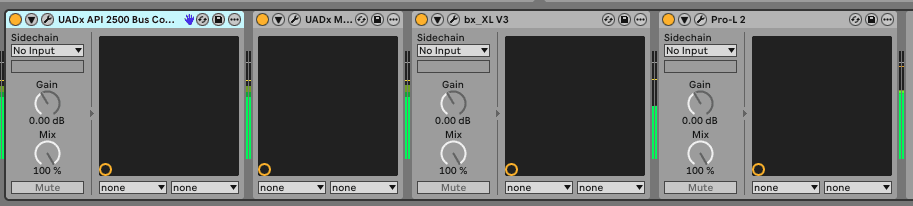
Headroom optimal bervariasi. Ambil contoh perekaman audio. Dalam sistem khusus digital, di mana tidak ada noise analog bawaan dalam sistem dan penurunan sinyal yang dapat diabaikan pada tingkat yang lebih rendah, secara teknis Anda dapat membiarkan diri Anda memiliki headroom 10dB atau bahkan 20dB, tanpa audio benar-benar terganggu.
Namun, dalam jalur analog, selalu ada sejumlah noise atau artefak elektrik lainnya seperti dengung atau desis. Jadi sinyal yang sangat tenang akan mulai hilang dalam noise. Jika Anda merekam audio dengan input gain yang tidak memadai dan kemudian menaikkannya, noise yang tidak diinginkan dari jalur rekaman Anda juga akan ikut naik, terkadang membuat audio tidak dapat digunakan. Hal ini terutama berlaku untuk rekaman yang dibuat ke pita atau melalui pre-amp analog.
Dan bahkan di DAW Anda, sebagian besar emulator pita dan rekreasi strip saluran analog juga mensimulasikan noise ini. Misalnya, jika Anda memainkan sinyal yang terlalu tenang dari soft synth ke salah satu jenis plugin tersebut, lalu melakukan bounce pada saluran itu (yaitu merendernya sebagai file audio baru dengan pemrosesan yang diterapkan), rasio noise terhadap synth akan ikut terekam ke dalam file audio baru tersebut.
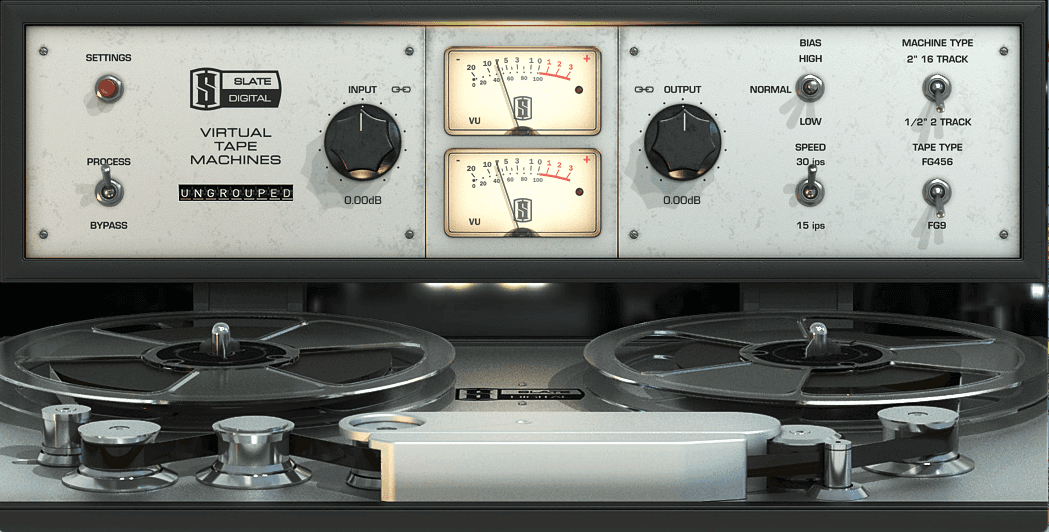
Tidak ada aturan baku yang cepat, tetapi sebagai aturan praktis, sisakan diri Anda setidaknya 6dB hingga 10dB headroom saat merekam ke DAW Anda. Dan dalam sistem analog, cobalah untuk memastikan bahwa jalur sinyal cukup keras sehingga Anda tidak dapat mendengar desis atau noise tanpa mengeraskan monitoring dengan sangat keras.
Headroom dalam mixing
Ngomong-ngomong, headroom bukan hanya sesuatu untuk jalur sinyal individu. Saat mixing, hal yang sama juga berlaku. Jika Anda memulai mix dengan mengatur level kick drum terlalu dekat dengan level maksimumnya, trek keseluruhan tidak hanya akan membebani bus master secara berlebih saat Anda menambahkan bagian lainnya, tetapi Anda juga tidak akan menyisakan headroom untuk menaikkan kick nanti.
True peak
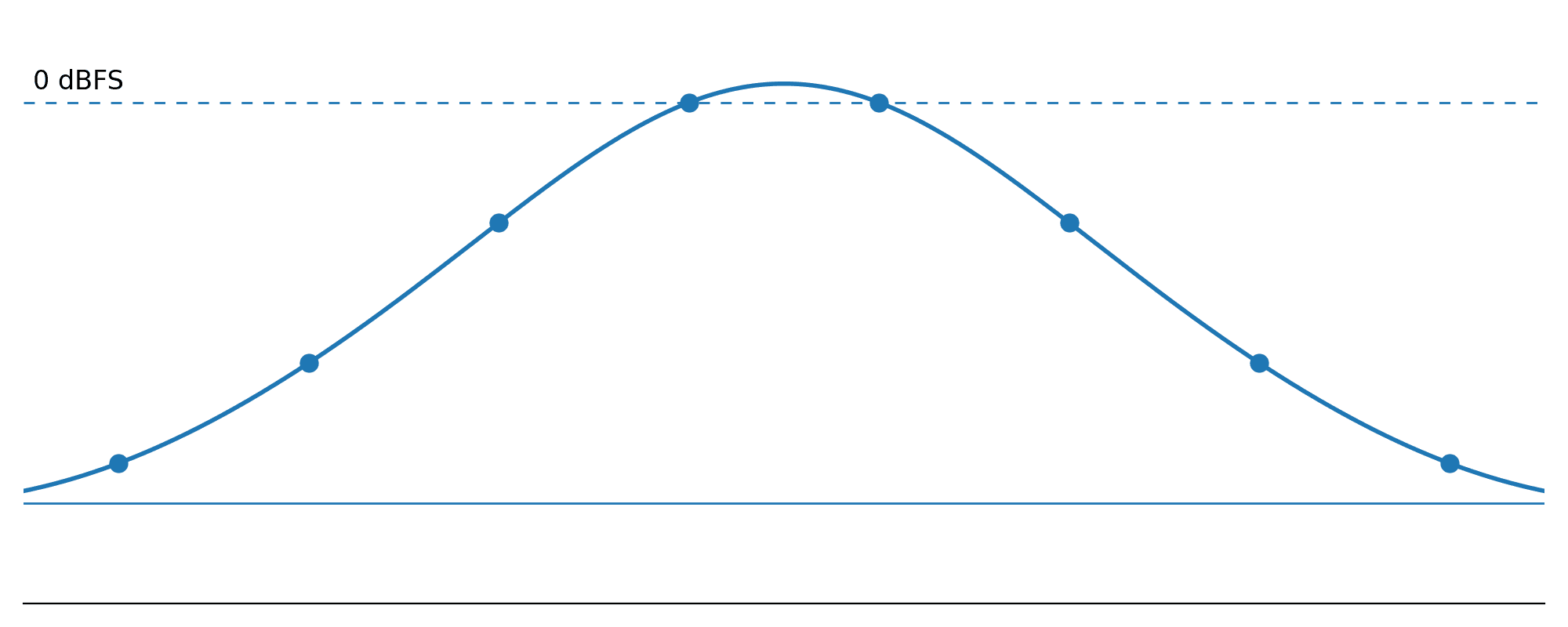
Mustahil untuk membahas clipping tanpa menyebutkan true peak. True peak adalah efek samping dari cara sistem digital menangkap suara. Berbeda dengan analog, yang mewakili gelombang suara nyata dengan bentuk gelombang kontinu yang tidak terputus, digital menangkap gelombang suara sebagai rangkaian cuplikan (snapshot).
Lihat bentuk gelombang ini di Ableton Live.
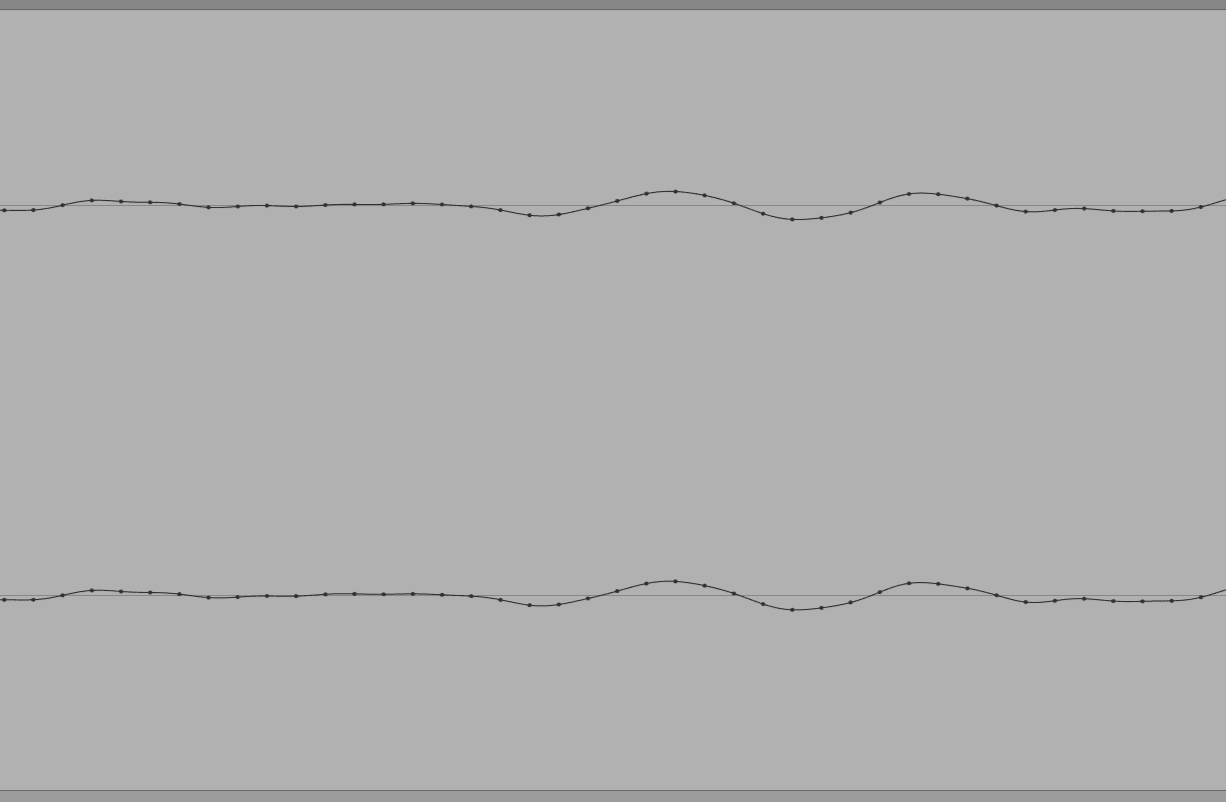
Setiap titik mewakili satu cuplikan – itu adalah titik-titik pada grafik. Garis halus yang ditunjukkan di antaranya sebenarnya tidak ada dalam audio digital – ini hanya menunjukkan apa yang akan Anda dapatkan ketika cuplikan tersebut dikonversi menjadi bentuk gelombang analog yang kontinu.
Jadi ketika perangkat lunak kita memberi tahu kita nilai puncak untuk file audio, itu sebenarnya memberi tahu kita tingkat titik tertinggi pada grafik. Tetapi ketika dikonversi kembali menjadi sinyal analog, konverter digital-ke-audio harus menghubungkan kembali titik-titik tersebut. Dan itu biasanya baik-baik saja. Namun, limiter brickwall digital modern mendorong hal-hal jauh lebih keras. Mari kita lihat apa yang bisa terjadi.
Perhatikan dua sampel yang berdekatan pada 0dBFS, tepat pada batas keras audio digital? Untuk mengubah ini menjadi suara, konverter digital-ke-analog harus melengkapi bentuk gelombang. Namun bentuk gelombang tersebut akan menghasilkan puncak baru di antara kedua sampel. Puncak antar-sampel (inter-sample-peak/ISP) baru akan muncul. Ini adalah puncak 'sebenarnya' (true peak) – puncak yang dihasilkan ketika audio digital dikonversi menjadi sinyal analog untuk pemutaran.
Sebagian besar, perangkat lunak dan perangkat keras yang kita gunakan untuk memproduksi musik kita dapat menangani true peak ini tanpa masalah, jadi kita tidak menyadarinya. Namun konverter digital-ke-analog pada perangkat tingkat konsumen yang digunakan pendengar kita terkadang tidak bisa, dan dapat menimbulkan clipping, terutama dengan true peak antar-sampel yang sering dan ekstrem.
Oleh karena itu, true peak adalah kalkulasi dari nilai puncak dunia nyata, yang memungkinkan kita untuk mengompensasi sebelumnya, menghindari masalah pemutaran.
True peak limiter
Salah satu solusi untuk true peak adalah true peak limiter. Ini menggunakan sesuatu yang disebut oversampling, yang meningkatkan resolusi audio Anda di dalam prosesor, memungkinkannya untuk mendeteksi true peak ini dan kemudian membatasi sinyal sesuai dengan itu.
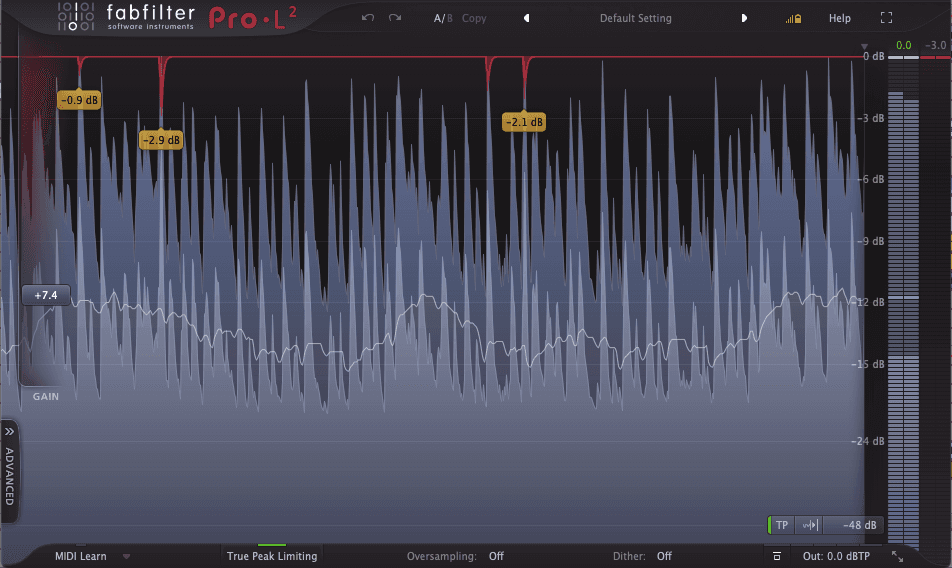
Efek samping utama dari true peak limiting adalah dapat melunakkan transient. Produser musik dance, misalnya, dapat mendapati bahwa hentakan dan pukulan dari kick dan snare mereka sangat dipengaruhi oleh true peak limiting.
Pada akhirnya, perdebatan terus berkobar di kalangan mastering – haruskah Anda menggunakan true peak limiting atau cukup mengawasi true peak dan menurunkan limiter digital konvensional Anda untuk meminimalkannya?
Namun selama orang-orang melakukan streaming dan mendengarkan musik di perangkat digital konsumen, relevansi true peak saat mastering tidak perlu dipertanyakan lagi.
Karena apa pun posisi yang Anda ambil dalam true peak limiting, true peak yang berlebihan adalah masalah dan bahkan dapat menyebabkan platform streaming menyesuaikan musik Anda untuk pemutaran.
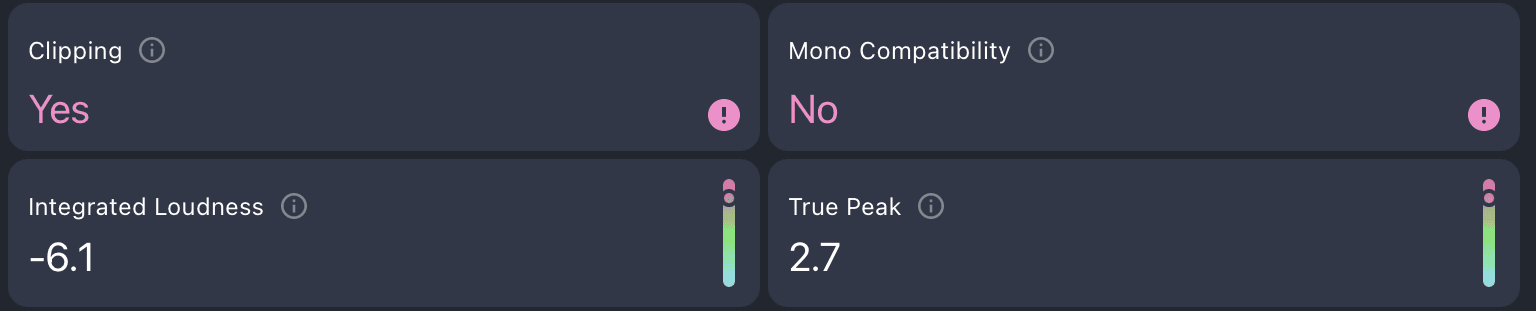
Menganalisis trek Anda dengan Mix Check Studio memungkinkan Anda mengetahui apakah true peak Anda berlebihan, dan akan menawarkan tips praktis untuk mengatasinya.
Pemikiran akhir
Jadi ternyata clipping adalah antihero yang cacat dalam kisah produksi kita. Selama Anda bekerja berdampingan menuju tujuan yang sama, ini dapat menambahkan karakter dan energi, membantu Anda menjinakkan transient, dan bahkan menyelamatkan vokal atau instrumen yang membosankan.
Tapi jangan pernah membelakanginya sedetik pun. Jika dibiarkan berbuat sesuka hati, ini akan merusak rekaman, menyedot Anda ke dalam lubang hitam bass yang merusak, mengacaukan energi ritmis, dan memberikan sentuhan buruk yang sangat tidak diinginkan pada hasil master Anda.
Tapi jangan khawatir. Anda sudah tahu Kryptonite-nya clipping sekarang, tumit Achilles yang harus ditekan setiap kali ia menjadi liar atau menyelinap ke tempat-tempat yang tidak diinginkan.
Waspadalah. Perhatikan level Anda. Manfaatkan headroom.
Sekarang setelah Anda membaca tentang clipping dan headroom, mengapa tidak membaca artikel terkait kami tentang dinamika (dynamics) dan kenyaringan (loudness)?
Untuk perusahaan & pengembang
Pelajari