ラウドネスとメーター:すべての音楽プロデューサーが知っておくべきこと
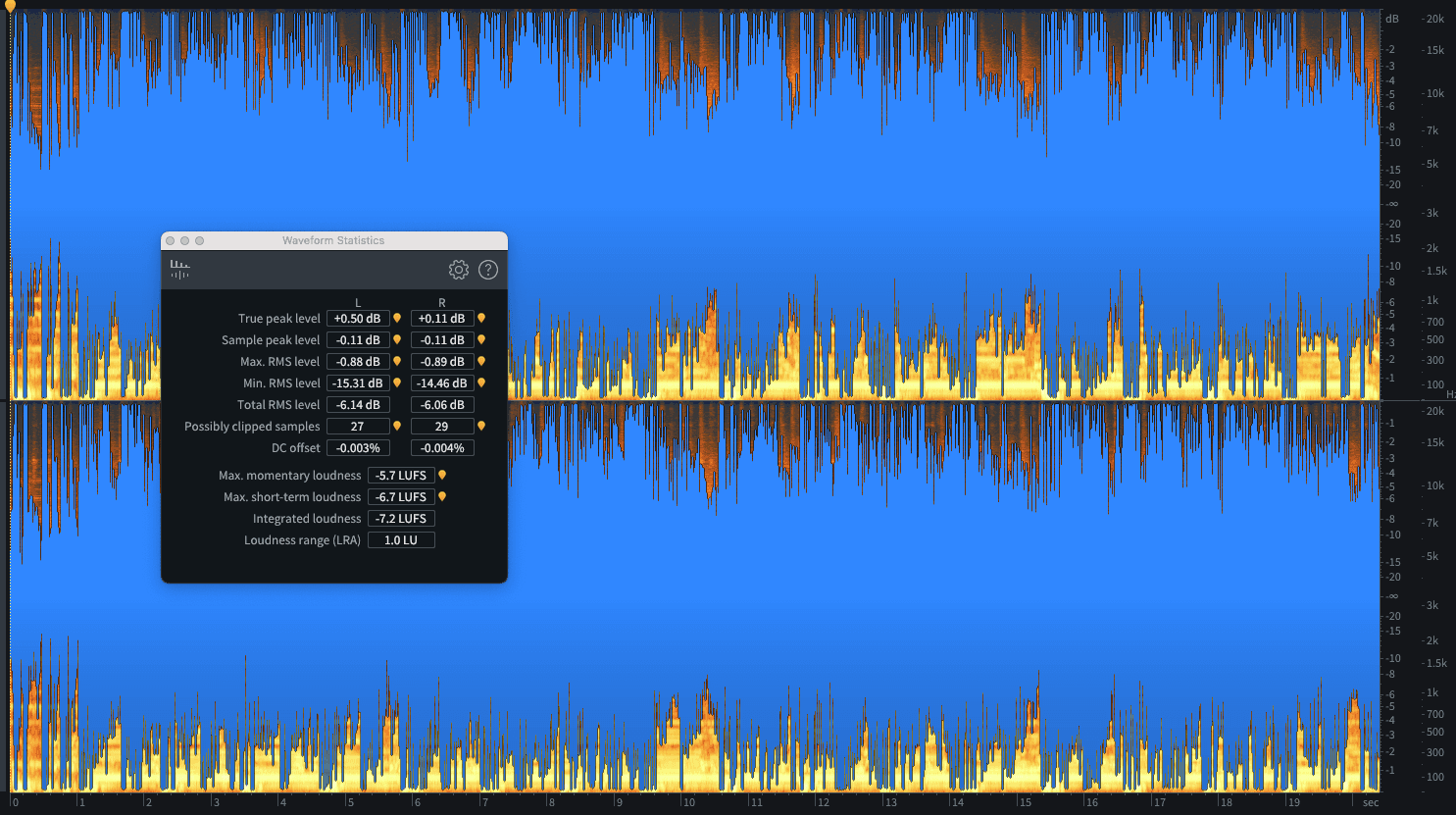
多くの人々にとって「ラウドネス」は楽曲制作において最も混乱しやすいテーマですが、恐れる必要はありません。ここでは、あなたが知っておくべきことのすべてを解説します...
「ラウドネス(音量感)」とは何でしょうか?現時点では、全く同じボリューム設定で再生した際に、あるトラックがリスナーにもう一方のトラックと比べてどれくらい大きく感じられるか、ということだと考えてください。これを誤ると、SpotifyやApple Musicなどの配信プラットフォームによってトラックの音量を下げられてしまったり、ダンスフロアを台無しにしてしまうリスクがあります。正しく設定できれば、どこで聴かれてもあなたのトラックは輝くでしょう。
でもご安心ください。決して難しいことではありません。この記事では、重要なコンセプトや用語を分かりやすく整理し、正しく設定するために必要なすべてを解説します。これらの知識を身につけた上で、Mix Check Studioの無料ミックス分析を利用すれば、あらゆる音響システムやストリーミングプラットフォームであなたのトラックを完璧に再生させることができます。
マスタリング、メーター、そしてラウドネス
ラウドネスは、配信(ストリーミングやアナログ盤など)に向けてトラックを準備するプロセスである「マスタリング」において、最も頻繁に議論されます。そして、マスタリングの主な役割の1つが、最適なラウドネスを達成することです。
ラウドネスをコントロールするための重要なツールはリミッターであり、これは極めて専門的で強力なダイナミクスコントローラーの一種です。この概念に馴染みがない方は、まずは分かりやすい入門編としてDynamic Range Demystified(ダイナミックレンジの真実)をお読みください。
リミッターがラウドネスをコントロールする一方で、メーターは不可欠なパートナーです。メーターを使うことで、リミッターが何を行っているかを把握し、リスナーが遭遇する可能性のある問題を回避し、放送やストリーミングの厳しい仕様に準拠することができます。
現代のオーディオメーターが表示する項目について見ていきましょう。
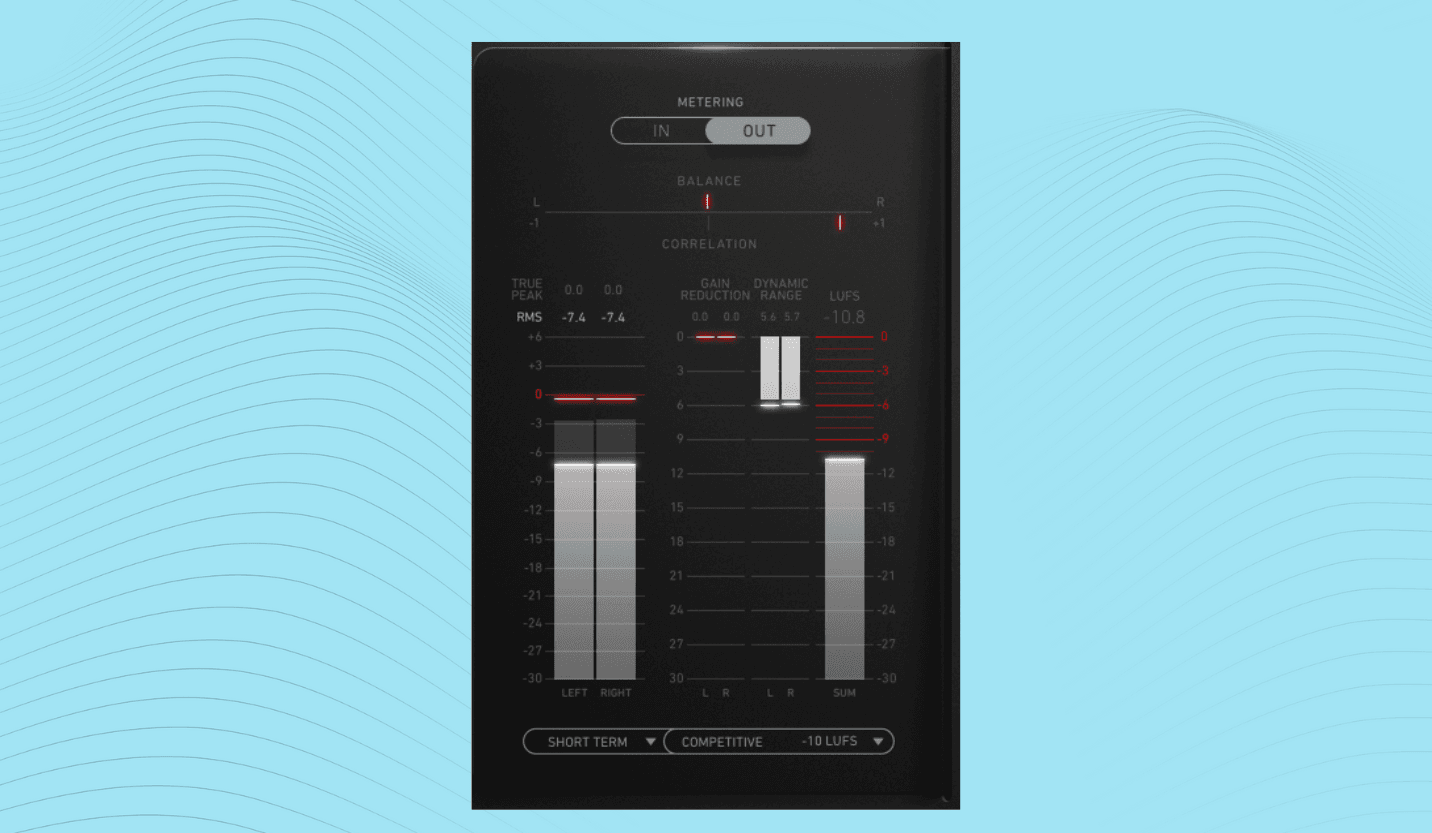
デシベル、dB、そしてフルスケール
デシベルという用語は、さまざまなオーディオの文脈で使用されますが、多くの人が大雑把にすべてを「dB」と略してしまうため、その違いを理解しておくことが重要です。
dB: これは音量やシグナルレベルの変化、または差を表す基本単位です。例えば「キックを1dBブーストする」と言う場合、そのチャンネルのレベルを現在のレベルより1dB高くしたいという意味になります。
dB SPL: 現実世界の音の大きさ(空気中の音圧)を指す場合は、dB SPL(音圧レベル)を使用します。これは、地方自治体がパブの騒音を測定し、営業停止にする口実を探す際などに測定するものです。
dBFS: DAWやデジタルハードウェア内部の信号など、デジタルオーディオの信号レベルについて話す場合は、dBFS(デシベル・フルスケール)を使用します。デジタルシステムでは最大値が0dBFSとなり、それ以外はすべてマイナスの値で表示されます。したがって、誰かが「プリマスターは-6dBにするべきだ」と言う場合、それは実際には「プリマスターの最大ピークを-6dBFSにするべきだ」という意味になります。
ピークと言えば...
ピーク vs. RMS
1950年代から2000年代後半にかけて、マスタリングにおける重要な検討事項は「ピーク」と「RMS」を中心に展開していました。
以下の波形を見てください。
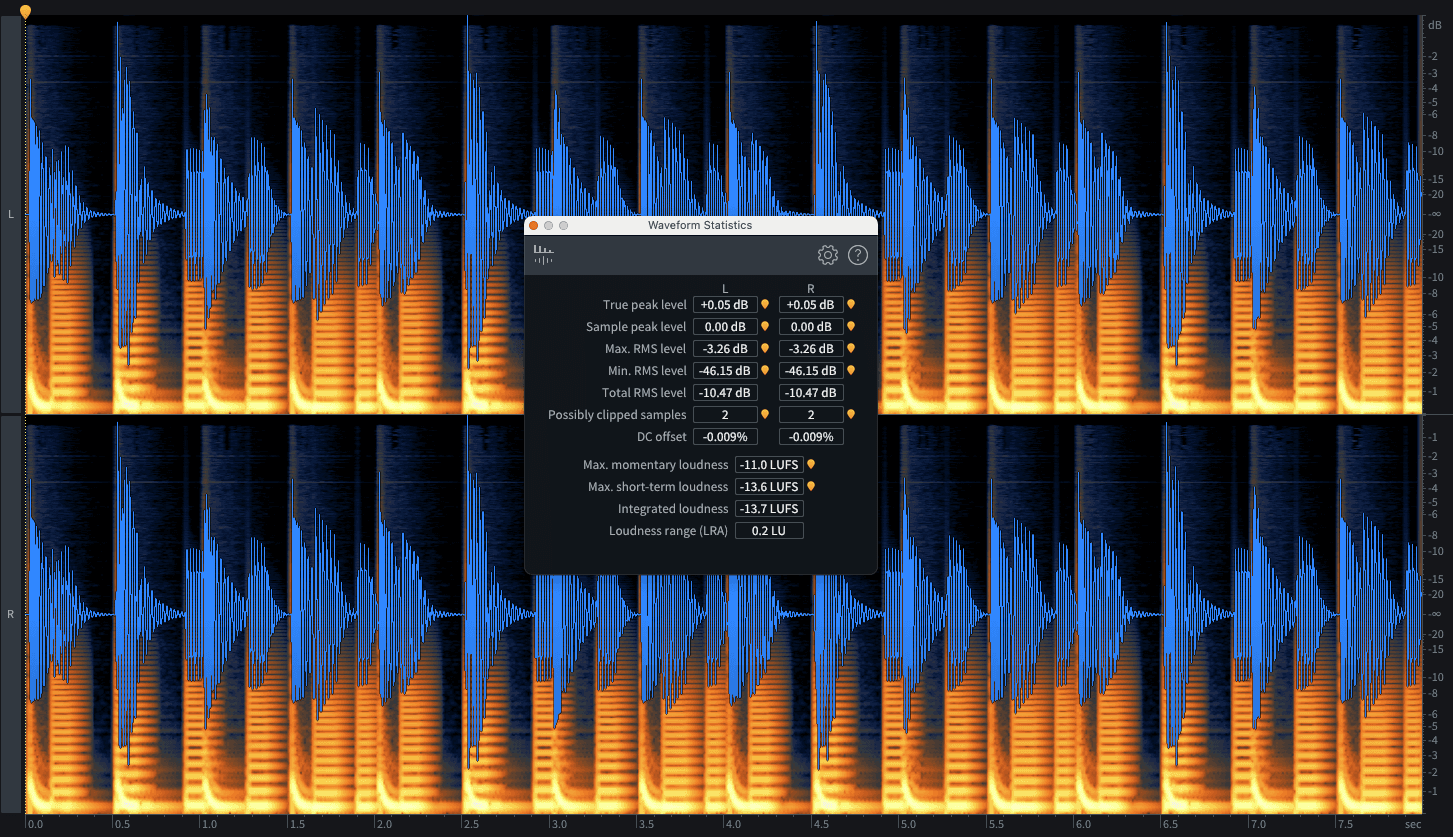
ピーク値は、オーディオ全体を通して到達する最も高い値(この場合は何度も到達している0dBFS)です。
しかし、今度はこちらのファイルを見てください。
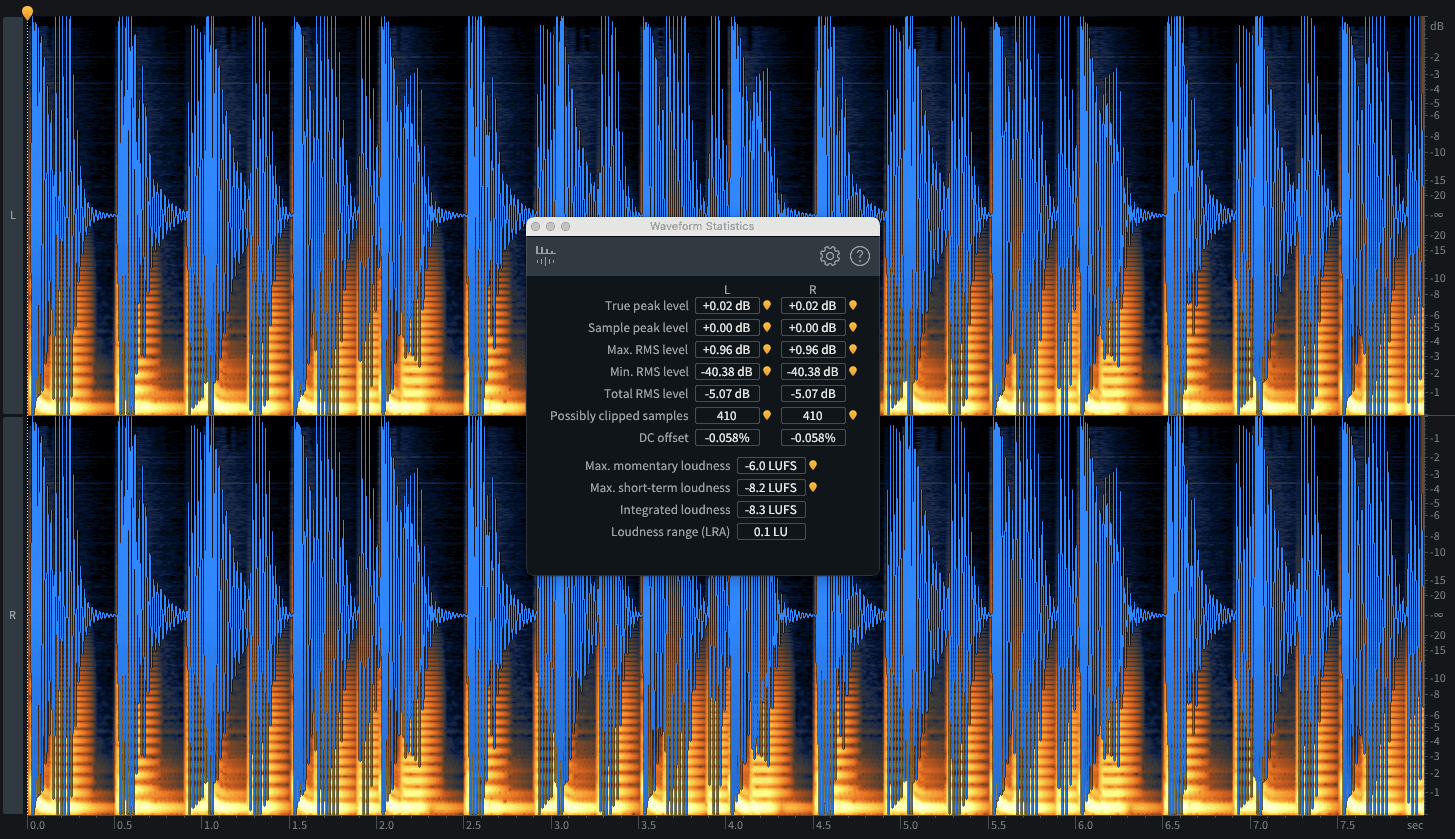
これもピーク値は-0dBFSです。しかし、実際に聴き比べてみましょう...
例 1: https://on.soundcloud.com/CQcxcgaDv9g0C9mvvS
例 2: https://on.soundcloud.com/eH8PpwCUhkh3Z60myI
最初のファイルのRMS値は約-10.5dBFSです。2番目のファイルはそれよりも大幅に高い約-5dBFSのRMS値を持っており、遥かに大きく聞こえます。
したがって、ピークを監視することは、不要なクリッピングを回避する(クリッピングに関する記事を参照)のに役立ちますが、RMSは最高値ではなく平均レベルを表します。その結果、RMSは「聴覚上のラウドネス(体感音量)」と捉えられる指標として、より適しています。
聴覚上のラウドネス(体感音量)
聴覚上のラウドネスとは、まさに言葉の通り、同じボリュームで再生された他のトラックと比較して、リスナーがそのトラックをどれくらい大きく感じるかということです。
これは技術的なレベル(例えば、曲中の静かな音が小さすぎて聞こえなくならないようにする等)でも重要ですし、多くの人間にとって、ある程度のラウドネスがあった方が単純に心地よく聞こえるという理由からも重要です。
望ましいラウドネスレベルは主観的なものであり、ジャンル、時代、リスナーによっても異なります。例えば、クラブ向けのキラーチューンはパワフルで押し出しの強いラウドネスが求められますが、アコースティックなフォークソングの演奏は、同様の音量感にしてしまうと台無しになることがあります。
「望ましいラウドネス」は、必ずしも「大音量」と同じではありません。
実践において最も効果的なのは、同じジャンルの好みのトラックやプロデューサーの音楽と自分の音楽を比較することです。そして後述するように、当社のMix Check Studioを利用すれば、ターゲットとするストリーミングプラットフォームに最適な音量レベルへと導くことができます。
RMSはピークよりも実際の音量感を正確に伝えてくれますが、現代の音楽、特にストリーミング向けのマスタリングや配信においては、LUFSについて学ぶ必要があります。
しかし、その前に...
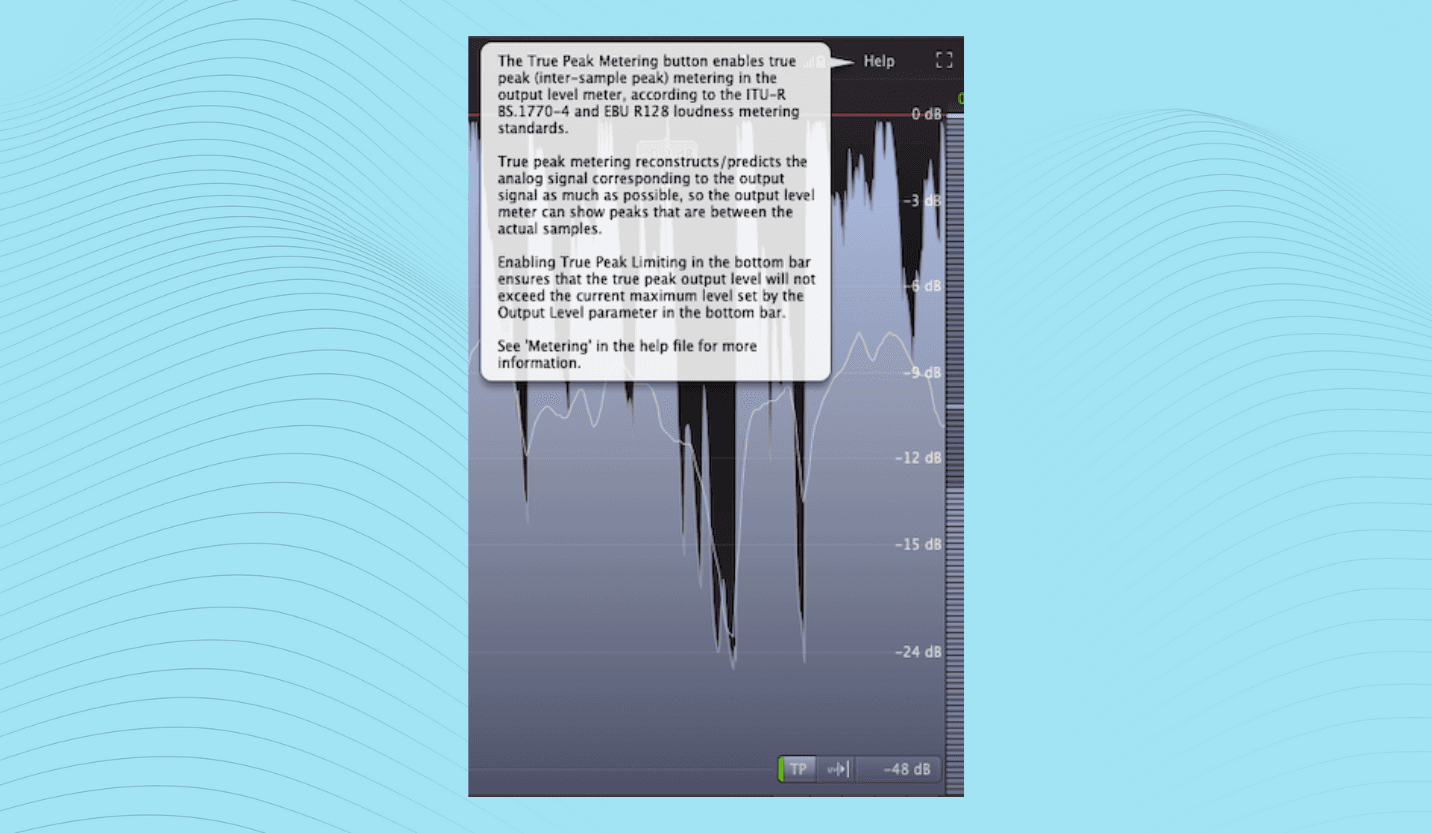
トゥルーピーク(True Peak)
トゥルーピークとは、デジタルオーディオファイルの公称ピーク値が、再生用のアナログ信号に変換された際の実際のピーク値と異なるという、デジタルオーディオ特有の現象を指します。これはデジタルリミッターを限界まで押し上げてラウドネスを稼ごうとする際に発生し、一つひとつはごく一瞬の出来事ですが、問題を引き起こす可能性があります。
トゥルーピークについては、Clipping and Headroom: The Secret to Lively, Dynamic Mixes(クリッピングとヘッドルーム:生き生きとしたダイナミックなミックスの秘密)で詳しく説明しており、非常に重要な要素ですので、ぜひ併せてお読みください。現時点では、ほとんどの現代のメータリングシステム(およびMix Check Studio)がこれに言及しているということだけ覚えておいてください。
クレストファクター(Crest Factor)
オーディオメータリングでよく遭遇するもう一つの用語が「クレストファクター」です。これはピーク値とRMS値の差を意味します。
クレストファクターは音源の素材や曲のセクションによって大きく変動します。バイオリンなどの擦弦楽器は突発的なスパイクが少ないため、ピークとRMS(平均)の差は最小限ですが、そこにドラムが加わるとその差は一気に大きくなります。この関係を変化させるもの(例えばリミッターなど)は、すべてクレストファクターに影響を与えます。
クレストファクターに最適な範囲というものはなく、これが判断基準を支配すべきではありません。そうではなく、コンプレッションやリミッティングによってトラックのダイナミクスをどれだけ変化させているかを測定するための、便利な指標として捉えてください。
Loudness Range(LRA:ラウドネスレンジ)
多くのメーターには、ラウドネスレンジ(LRA)も表示されます。LRAは、時間の経過に伴うトラックのダイナミックレンジ、つまりラウドネスがどれだけ変化するかを示します。非常に強く圧縮されたトラックのLRAはわずか数dBかもしれませんが、映画のサウンドトラックやアコースティック録音では、より広いレンジを持つことになります。
クレストファクターと同様に、LRAはマスターのダイナミクスがどの程度保たれているかを把握するのに役立ちます。
ラウドネス・ウォー(音圧競争)
次に進む前に、間違いなく最も重要なメータリング用語を説明するにあたって、2000年代の思い出に少し浸ってみましょう。オーディオの歴史においては、ラウドネスをめぐる激しい流血の戦い(音圧競争)の時代でした。
なぜ2000年代だったのでしょうか?90年代にルックアヘッド(先読み)機能を搭載したデジタル・ブリックウォール・リミッターが本格的に普及し、より過激なリミッティングとラウドネスの向上が可能になりました。これはアナログレコードからCDへの移行期と重なり、CDのデジタルフォーマットは、それまでのアナログ製品よりも遥かに高いラウドネスレベルを許容することができました。
さらに、AB比較において「音が大きい方が良く聞こえる」という人間の不思議な心理的傾向が相まり、音楽業界はテクノロジーが許す限り音圧を押し上げる金銭的なインセンティブを持つことになりました。
この状況がどれほど制御不能に陥っていたかを示すために、Red Hot Chili Peppersの2つのシングルを以下に紹介します。一つは1991年の『Blood Sugar Sex Magik』から、もう一つは2011年の『I’m With You』からのものです。
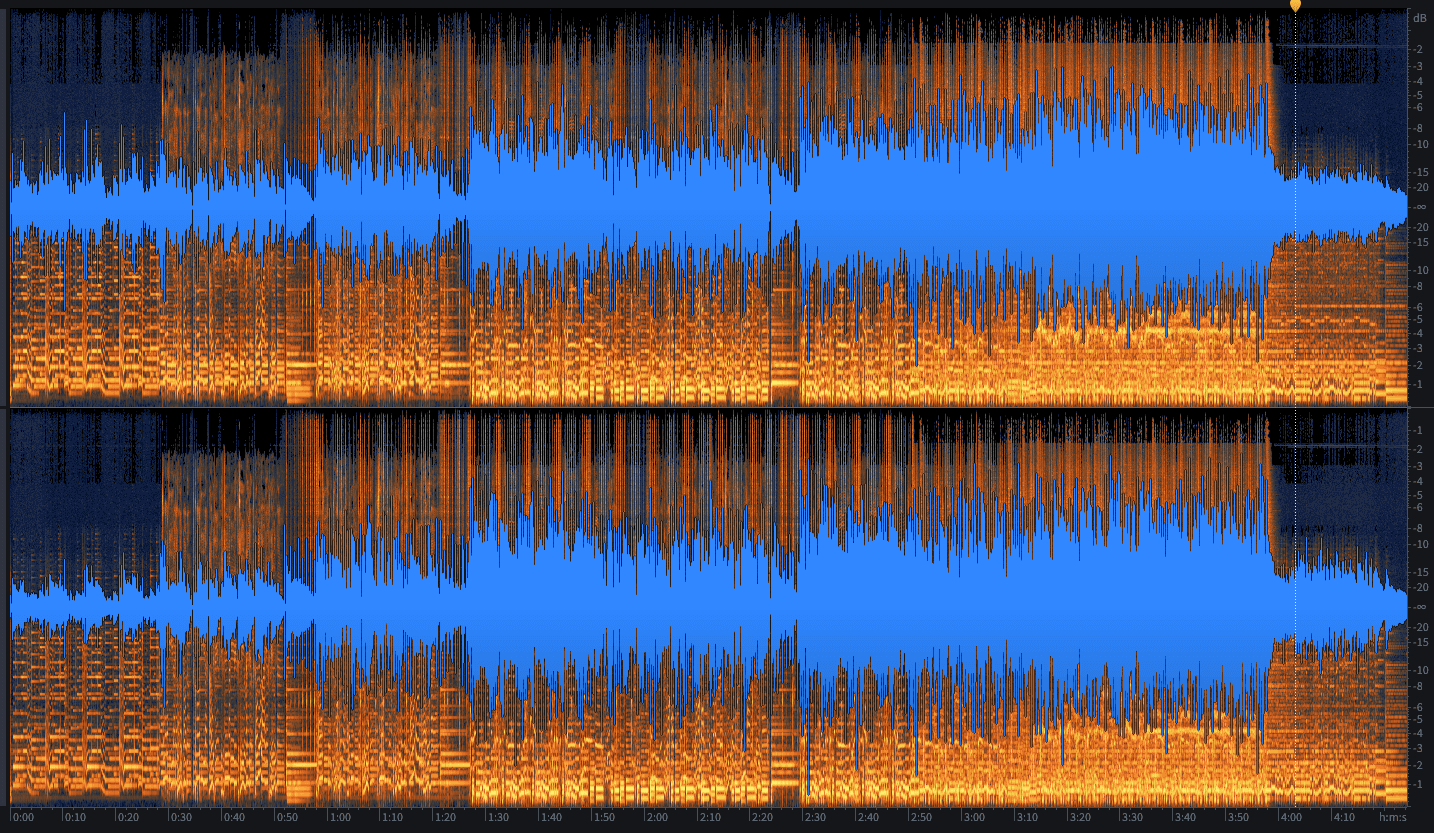
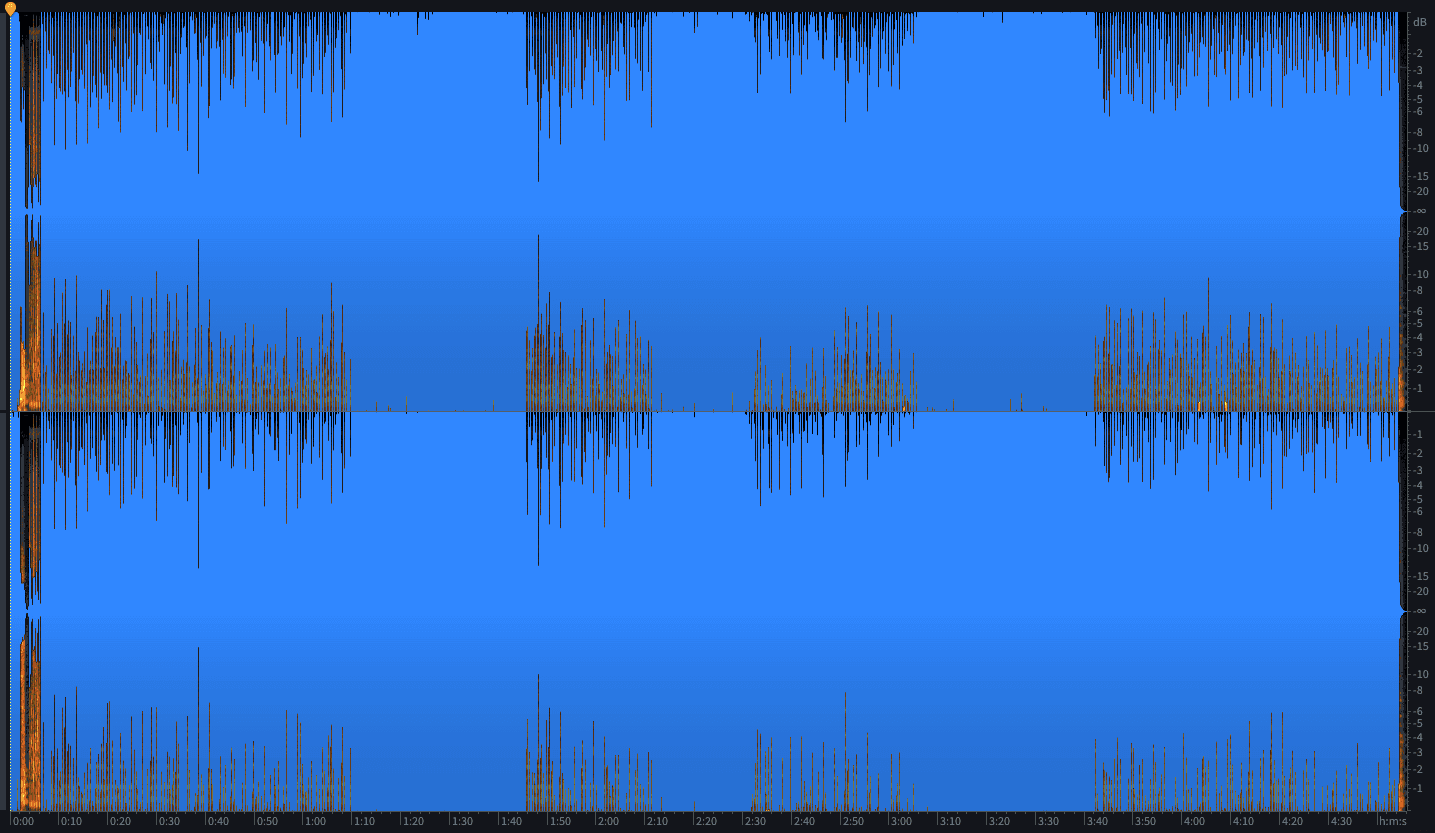
凄まじい違いですよね。実際、あまりにも過激化したため、放送業界が介入してこの狂気に終止符を打つことを求めました。そこで登場したのがLUFSです。
LUFSの簡潔な歴史
2000年代以前は、RMSが「聴覚上のラウドネス」の代用として一般的に使われていました。楽曲の一部分を切り取って聴く分には、今でもかなり優れた指標です。しかし、RMSには限界があります(ベタな洒落で申し訳ありません)。
このトラックをご覧ください。
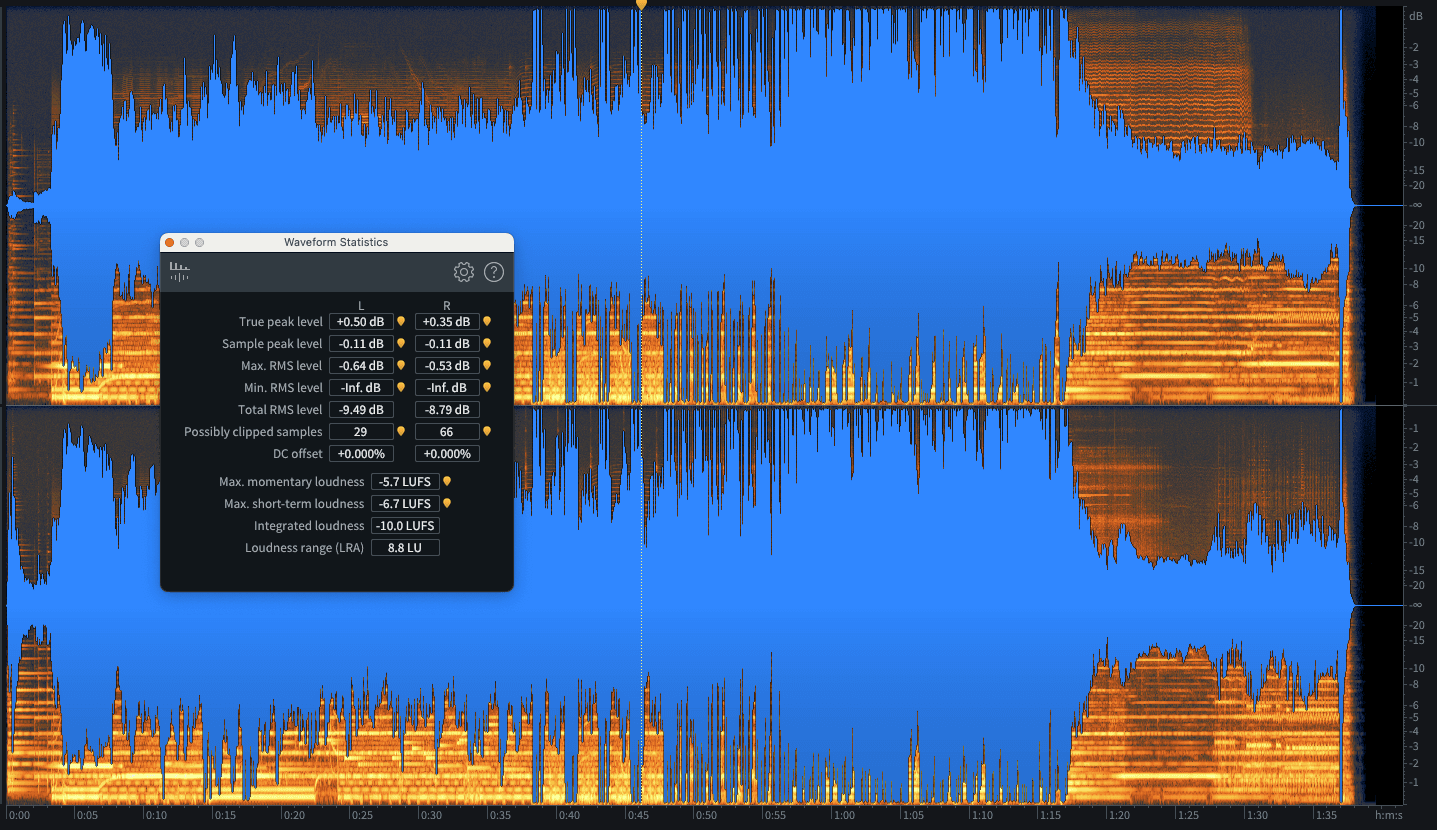
アレンジの中にいくつか静かなセクションがありますが、曲全体のRMS値はアレンジ上の判断を考慮しません。イントロやブレイクダウンを含むトラック全体の平均値になります。そのため、RMS値は約-9dBFS RMSとなります。
しかし、音量の大きいセクションだけを切り取って分析してみましょう。
すると、-6dBFS RMSに近いRMS値が得られます。これには丸3dBの違いがありますが、リスナーが曲全体を聴いたときにどれくらい大きく感じるかを考慮する上で、重要になるのは当然こちらの測定値です。
つまり、デジタルリミッティングが主流となる中で、曲全体のRMS値は、実際に知覚されるラウドネスの尺度としては不十分であることが明らかになりました。
新たな測定基準が必要とされ、誕生したのが「Loudness Units relative to Full Scale(LUFS:フルスケールに対するラウドネス単位)」です。
2006年に標準規格として制定され(関連する放送仕様は2011年に策定)、LUFSシステムは曲の静かな部分と騒がしい部分を区別し、それに応じて値を算出するように設計されました。
そして、これはまさに絶好のタイミングで登場しました。特に、iPod、iTunes、そしてSpotifyなどのストリーミングプラットフォームの台頭を控えていた時期だったからです。
ストリーミングプラットフォームと言えば...
ストリーミングの難問
音楽ストリーミングはラウドネスのあり方を一変させ、音楽そのものにとっても有益であったと言えます。音圧競争の全盛期における目標はシンプルでした。「前のトラックよりも大きく鳴らす」ということです。
通常はラジオ、あるいはテレビやCDが対象でした。
しかし、今日のリスナーがあなたの音楽を聴くのは主にストリーミング経由であり、ストリーミング企業はラウドネスをめぐる不毛な競争に関わりたくありません。彼らは、リスナーが次にどのトラックを聴いても、スムーズで一貫した体験を楽しめることを望んでいます。これは音圧競争とは真逆の思想です。
初期のAppleのiTunesでさえ自動音量調整(サウンドチェック)を提供しており、独自のアルゴリズムを用いてトラックの音量を大まかに算出し、曲から曲へ移行する際に一定の音量を維持できるようにレベルを調整していました。
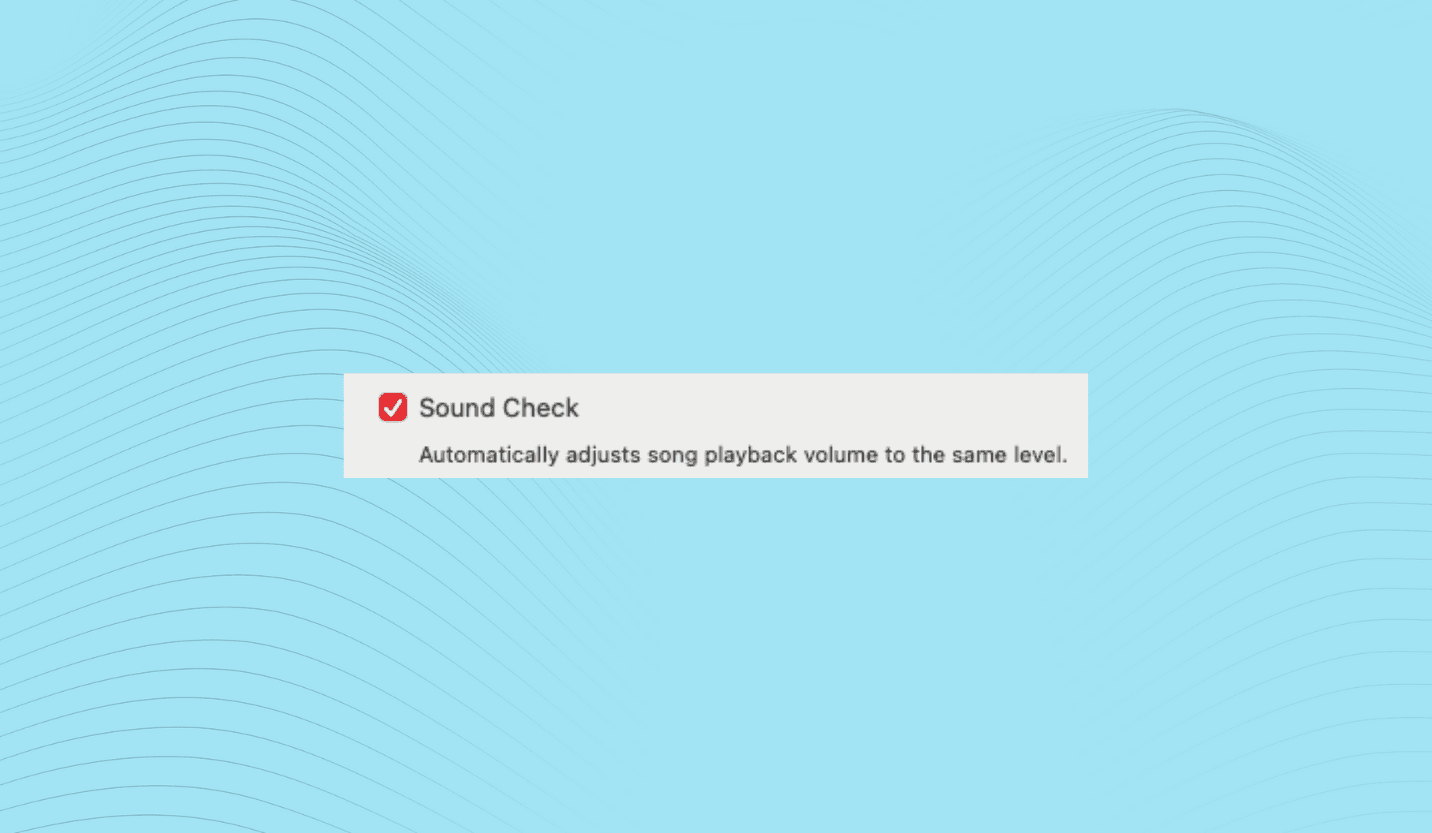
そして、それは理にかなっていました。放送用にオーディオを事前処理するラジオとは異なり、手持ちのCDコレクション全体をiPodに取り込んでシャッフル再生するリスナーは、ジャンルのジャンプはもちろん、数十年の年月を行き来することになり、聴覚上のラウドネスに予測不可能な大差が生じるからです。
しかし、先ほど見た理由から、RMSのみに基づいて曲のレベルを調整するシステムには欠陥があります。トラック間の音量バランスが崩れることが多く、ダイナミクスの激しいシステムでは、曲の途中で突然音量が跳ね上がることさえありました。
これがストリーミングの難問です。良くも悪くも、これらのプラットフォームはユーザーに曲から曲へのシームレスで終わりのないトランジションを提供したいと考えています。そして、音圧競争の停戦状態を維持するために、アルゴリズムという名の調停軍を配備しています。
その高度な仕組みにもかかわらず、基本的にはiTunesの自動調整機能と同じ類のプロセスです。大きな違いは、RMSや独自のアルゴリズムではなく、LUFSを測定している点です。
そして、これは大体において非常にうまく機能しています。前の曲よりも自分のトラックを大きくしようと画策しても、プラットフォームによって単純に音量を下げられてしまい、結果として前の曲よりも静かに聞こえてしまうことすらあります。
ジャンプを防ぐためにジャンプを引き起こす?どういうこと?
しかし、少し待ってください。目的が「スムーズなリスニング体験」であり、調整システムによって音量の大きいトラックがそうでないトラックよりも小さく聞こえるようになってしまうのであれば、なぜこのようなことをするのでしょうか?
第一に、過度なラウドネスを抑制すべき退屈な技術的理由があります。例えば、ほぼすべてのプラットフォームがエンコード処理を採用しており、極端に音量の大きいオーディオではクリッピングが発生する可能性があります(Clipping and Headroom: The Secret to Lively Dynamic Mixes(クリッピングとヘッドルーム:生き生きとしたダイナミックなミックスの秘密)を参照)。
しかし、これは抑止力でもあります。「もし音圧競争を再開しようとするなら、あなたの楽曲の音量を下げるだけだ」というメッセージです。
ストリーミングモデルのメリットについてどのような立場をとるにせよ、新しい基準はプラットフォームが現在握っている権力の象徴であり、ラウドネスとダイナミクスのバランスにおける新時代の到来をもたらしました。
唯一の難点は、プラットフォームごとに異なるラウドネス基準を持っていることです。しかし、この新しい環境をどうナビゲートすればいいか不安に思う必要はありません。Mix Check Studioは、各主要プラットフォームがあなたの楽曲の音量をどれだけ上下に調整するかについて、詳細な情報を提供します。
3つのLUFSにまつわる話
ちなみに、現代のメーターではよく3種類のLUFS値が表示されます。それぞれの意味を知っておく価値はあります。
Momentary(モーメンタリー):これは信号を400ms(ミリ秒)のオーバーラップする短いバーストで測定し、RMSに近い測定値を示します。
Short-term(ショートターム):モーメンタリーに似ていますが、3秒間のローリングウィンドウで測定します。
クレストファクターやLRAと同様に、モーメンタリーとショートタームは、到達目標というよりも役立つ指標として捉えることができます。
Integrated(インテグレーテッド):これはトラック全体を通した平均値です。放送局やストリーミングプラットフォームが最も重視する値であるため、配信ターゲットとしてフォーカスすべきはこの数値です。
ラウドネスとRoEx、そしてMix Check Studio
ラウドネスの目標値に関してはクリエイティブな柔軟性が大いに認められますが、ストリーミングにはいくつかの技術的要件もあります。Mix Check Studioでミックスを分析すれば、非常にクリアでわかりやすいアドバイスを得ることができます。
トラックの無料チェックを実行するには、無料アカウントでログインしてトラックをアップロードするだけです。その後、トラックがマスタリング済みか未マスタリングかを指定するよう求められます。マスタリング済みのトラックはプリマスターよりも遥かに音量が大きいため、どちらの状態であるかをシステムに伝えることが極めて重要です。
また、トラックがまだマスタリングされていない場合は、Mix Check Studioでチェックする前に(そしてマスタリングに送る前に!)、マスターバスに挿入しているリミッターを必ず外してください。
次に「Check」オプションを選択して、あなたのトラックに最適化された分析結果を受け取ります。
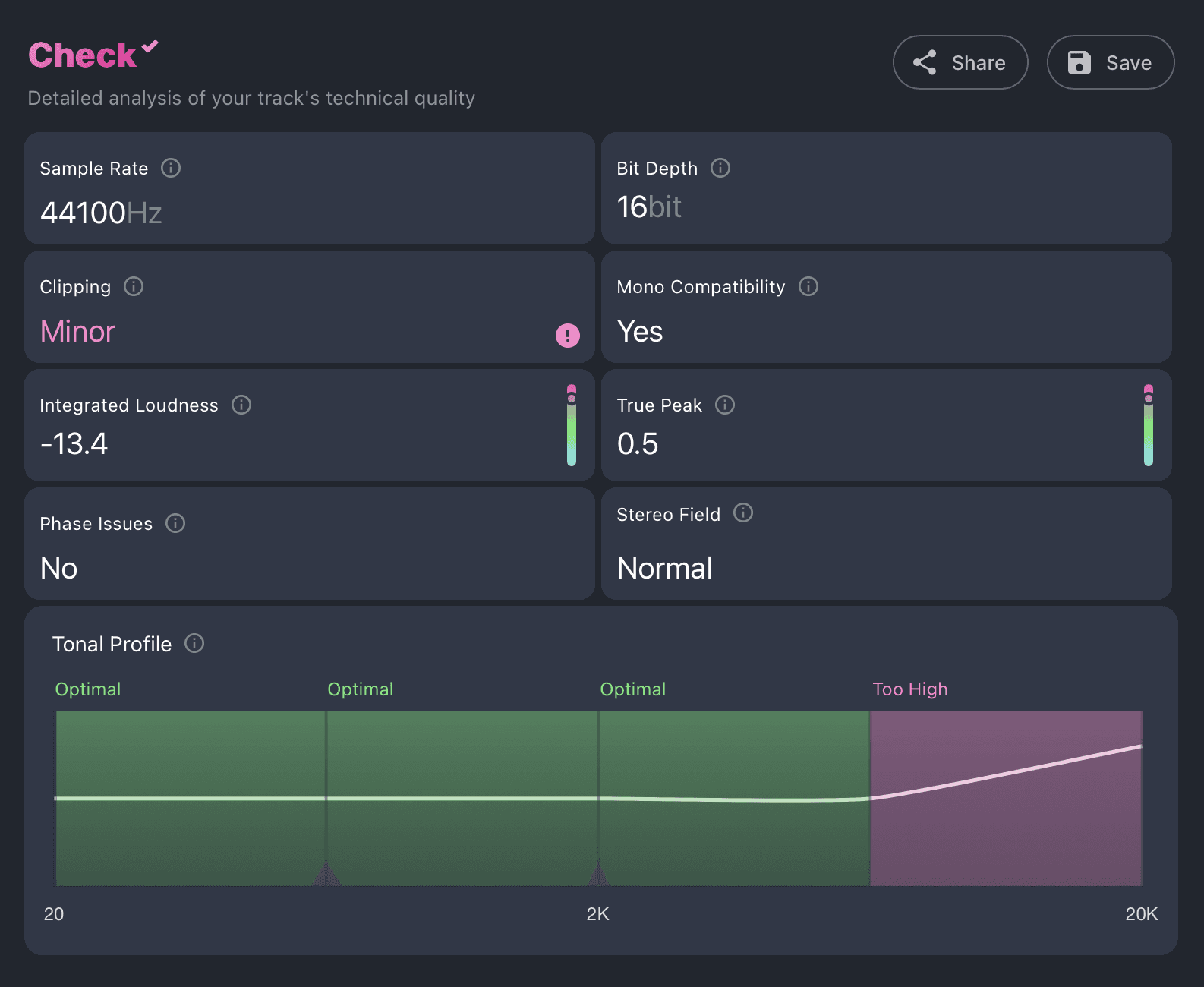
音色、ダイナミクス、ステレオイメージに関する様々なアドバイスに加えて、RoExはあなたのトラックに関する明確でシンプルなフィードバックを提供します(矢印をクリックすると展開され、詳細なコメントが表示されます)。

各プラットフォームが事前にあなたのトラックに対してどのようなレベル調整を行うかを把握することで、事前にラウドネスを調整してこれを防ぐことができます。すべてのプラットフォームにとっての妥協点を見つけることも、お好みのプラットフォームに合わせてマスターを調整することも可能です。
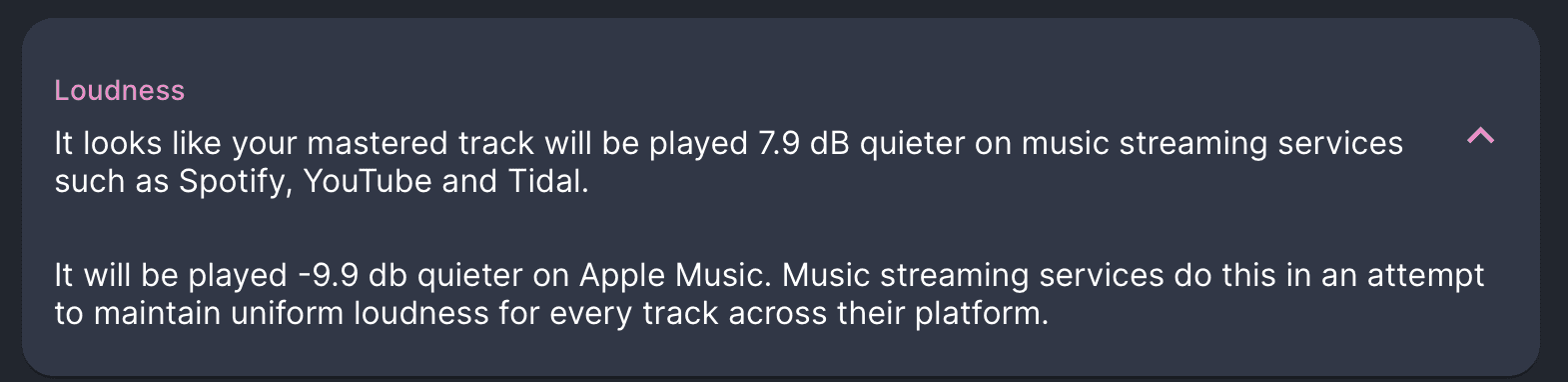
トラックがまだマスタリングされていない場合は、Mix Check StudioのMastering+オプションを使ってマスタリングを行うこともでき、必要なラウドネスの調整を自動的に処理します。
さらに、用途に合わせて異なるラウドネスのマスターを作成することも可能です。例えば、クラブプレイやBeatport向けに最適化された非常に音量の大きいマスターと、ストリーミング用のマスターを個別に作成できます。
最後に
さて、私たちは何を学んだでしょうか?最も重要なのは、ラウドネスは本当に重要だということです。リスナーは直感的に音量の大きい音楽を好む傾向がありますが、それは2つのトラックをその場で直接聴き比べた(ABテストした)ときに限られます。多くの場合、音が大きい方が優れているとは限りません。
過度に音量の大きいマスターを作成すると、音楽の品質が著しく低下し、トランジェントを損ない、躍動感を押し潰し、さらにはストリーミング再生された際に音楽がより小さく聞こえてしまう原因になります。
幸いなことに、最適なラウドネスを達成することはかつてないほど容易になっています。現代のデジタルメータリングは、ラウドネスを適切に管理するための幅広いツールを提供してくれます。そしてMix Check Studioは推測に頼る作業を排除し、あなたの音楽を際立たせるための明確でジャンルに応じた指針を提供します。
もし分析によって、最終的なリミッティングよりも深い部分(ミックス自体のバランスや密度に関する問題)に原因があることが判明した場合は、Automixがマスタリング前にステムレベルでこれに対処するため、ミックスのダイナミクスを損なうことなく、適切なラウドネス目標を達成することができます。